
































Trusted by Thousands, Driven by Results, Built to Satisfy

0
Trusted by 8,000+ Innovative Brands
Leading tech-forward companies rely on WP Configurator to deliver seamless, dynamic product personalization at scale.

0
250% Growth in Sales Efficiency
Empower smarter shopping experiences — drive up to 250% more conversions with real-time, interactive customization.

0
90% Reduction in Refund Rates
WP Configurator reduces refunds by enabling customers to visualize and personalize their purchases accurately.
User Experience & Customization
A better frontend experience keeps customers engaged and helps them finish the purchase.

Improved User Interface
What it does: Modern, intuitive layout
Why it matters: Keeps users engaged and increases conversions

Color Picker
What it does: Change material colors instantly
Why it matters: Makes customization fast and interactive

Layer-Based Material Swapping
What it does: Swap materials per product layer
Why it matters: Structured and flexible customization
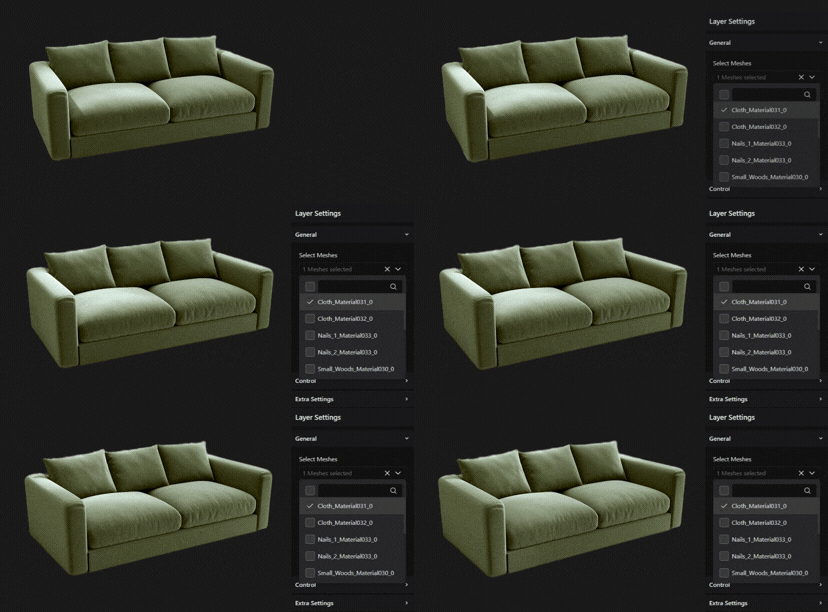
Mesh Swapping
What it does: Replace entire product parts
Why it matters: Create multiple product variations from one base model
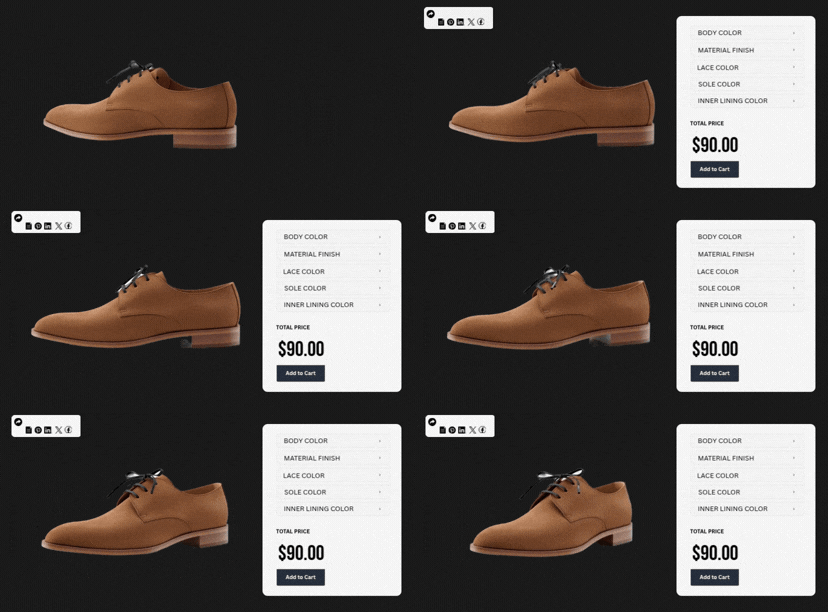
Share Configuration
What it does: Share the configured product via a link
Why it matters: Easy collaboration and faster purchase decisions

Modular Interface Setting
What it does: enable only the required features
Why it matters: Speed optimization, cleaner backend, easier debugging

Coming Soon
Product Inspiration
What it does: Preset designs and guided suggestions
Why it matters: Helps customers choose faster and boosts AOV

Coming Soon
Augmented Reality (AR)
What it does: View product in a real-world environment
Why it matters: Increases buying confidence and reduces returns
Improved User Interface
What it does: Modern, intuitive layout
Why it matters: Keeps users engaged and increases conversions
Color Picker
What it does: Change material colors instantly
Why it matters: Makes customization fast and interactive
Layer-Based Material Swapping
What it does: Swap materials per product layer
Why it matters: Structured and flexible customization
Mesh Swapping
What it does: Replace entire product parts
Why it matters: Create multiple product variations from one base model
Share Configuration
What it does: Share the configured product via a link
Why it matters: Easy collaboration and faster purchase decisions
Modular Interface Setting
What it does: enable only the required features
Why it matters: Speed optimization, cleaner backend, easier debugging
Coming Soon
Product Inspiration
What it does: Preset designs and guided suggestions
Why it matters: Helps customers choose faster and boosts AOV
Coming Soon
Augmented Reality (AR)
What it does: View product in a real-world environment
Why it matters: Increases buying confidence and reduces returns
Smart Pricing & Revenue Growth
Make pricing transparent while customers configure — so they don’t hesitate at checkout.

Real-Time Pricing
What it does: Instantly updates price as selections change
Why it matters: Builds pricing transparency and trust

Layer-Based Pricing
What it does: Calculates price per selected layer
Why it matters: Accurate and scalable pricing control

Range & Formula-Based Pricing
What it does: Dynamic pricing using custom rules
Why it matters: Ideal for complex and made-to-measure products
Coming Soon
Real-Time Pricing
What it does: Instantly updates price as selections change
Why it matters: Builds pricing transparency and trust
Layer-Based Pricing
What it does: Calculates price per selected layer
Why it matters: Accurate and scalable pricing control
Range & Formula-Based Pricing
What it does: Dynamic pricing using custom rules
Why it matters: Ideal for complex and made-to-measure products
Coming Soon
Launch Your 3D Product Configurator for WooCommerce in Days
You don’t need months of development to launch a working 3D configuration flow inside WordPress.
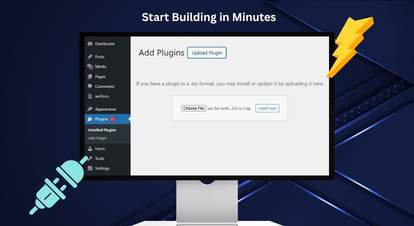
Install & Activate WP 3D Configurator
Upload the plugin ZIP from WordPress → Plugins, or upload via FTP. Activate it and you’ll see a new “3D Configurator” menu in your WordPress dashboard.
You’re now ready to create your first configurator.
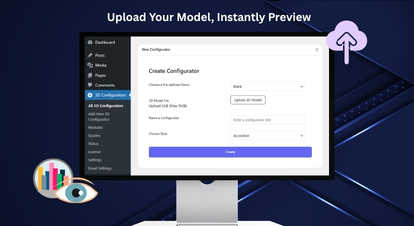
Create a New 3D Configurator (Upload GLB)
Click Add New 3D Configurator and upload your GLB model (required). Add a configurator name and generate the configurator.
Tip: GLB is recommended because it packs model + textures into a single file.
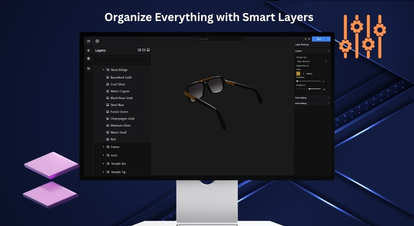
Build Your Options (Layers + Meshes + Controls)
Use the Layers panel to create groups, sub-groups, and option layers. Assign meshes to options and use icons/labels to define how choices appear on the frontend.
Add descriptions for clarity, and keep the experience intuitive.
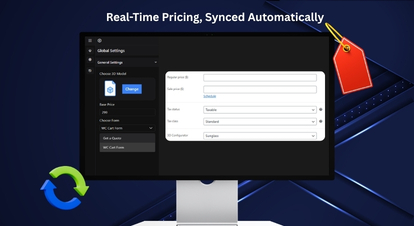
Connect WooCommerce + Configure Pricing
Choose the WooCommerce product and set a base price in Global Settings. Enable Real-Time Pricing and Layer-Based Pricing as needed.
Configure currency settings globally so all configurators stay consistent.
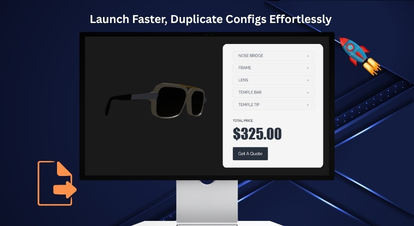
Publish, Test, and Scale with Import/Export
Publish your configurator and validate the flow end-to-end (Configure → Cart → Checkout). Use Export (JSON/ZIP) to save configurators and Import to reuse them across sites.
This is the fastest way to launch new products without rebuilding from scratch.
Install & Activate WP 3D Configurator
Upload the plugin ZIP from WordPress → Plugins, or upload via FTP. Activate it and you’ll see a new “3D Configurator” menu in your WordPress dashboard.
You’re now ready to create your first configurator.
Create a New 3D Configurator (Upload GLB)
Click Add New 3D Configurator and upload your GLB model (required). Add a configurator name and generate the configurator.
Tip: GLB is recommended because it packs model + textures into a single file.
Build Your Options (Layers + Meshes + Controls)
Use the Layers panel to create groups, sub-groups, and option layers. Assign meshes to options and use icons/labels to define how choices appear on the frontend.
Add descriptions for clarity, and keep the experience intuitive.
Connect WooCommerce + Configure Pricing
Choose the WooCommerce product and set a base price in Global Settings. Enable Real-Time Pricing and Layer-Based Pricing as needed.
Configure currency settings globally so all configurators stay consistent.
Publish, Test, and Scale with Import/Export
Publish your configurator and validate the flow end-to-end (Configure → Cart → Checkout). Use Export (JSON/ZIP) to save configurators and Import to reuse them across sites.
This is the fastest way to launch new products without rebuilding from scratch.
Need help? Our team can guide your setup and best-practice configuration.
Talk to Our ExpertsWooCommerce 3D Product Configurator — No Separate Dashboards. No Per-Seat Pricing. No Add-On Dependency.
WP 3D Configurator is designed to run directly inside WordPress and connect with WooCommerce for a seamless purchase flow.

Get a Quote Integration
Turn configured builds into quote requests — ideal for high-value and B2B inquiries. Capture requirements in a structured format so your sales team can respond faster.

WooCommerce Integration
Sync configurations with cart and checkout – so buying stays frictionless. Let customers complete purchases without leaving the WooCommerce experience.

Contact Form 7 Integration
Capture leads directly inside WordPress — without extra tools or complex setup. Collect key details alongside the configuration to qualify inquiries efficiently.
Get a Quote Integration
Turn configured builds into quote requests — ideal for high-value and B2B inquiries. Capture requirements in a structured format so your sales team can respond faster.
WooCommerce Integration
Sync configurations with cart and checkout – so buying stays frictionless. Let customers complete purchases without leaving the WooCommerce experience.
Contact Form 7 Integration
Capture leads directly inside WordPress — without extra tools or complex setup. Collect key details alongside the configuration to qualify inquiries efficiently.
A 3D Product Configurator Pro for WooCommerce Across Industries
WP Configurator fits any WooCommerce store selling products with multiple choices, upgrades, or components.
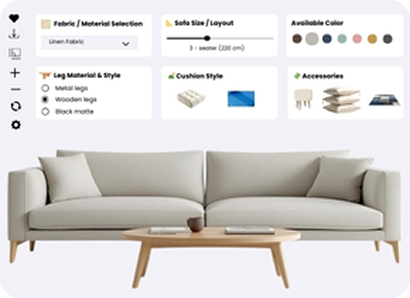
Furniture & Home (modules, fabrics, finishes)
Let shoppers configure modules, fabrics, finishes, and layouts before they buy.
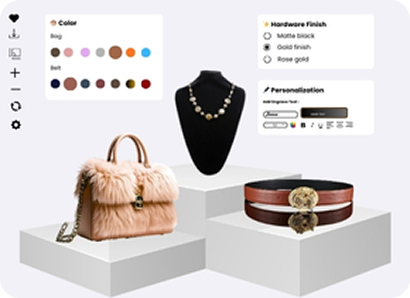
Fashion & Luxury (materials, stitching, monograms)
Offer material, stitching, and monogram choices with a premium, guided customization flow.
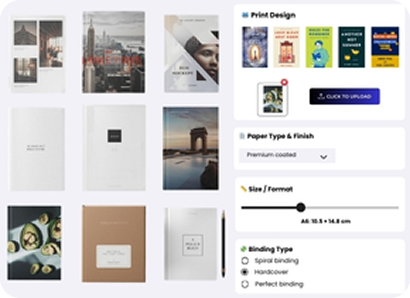
Printing (proofs, uploads, variations)
Capture uploads, proofs, and variation details cleanly — so every order is production-ready.
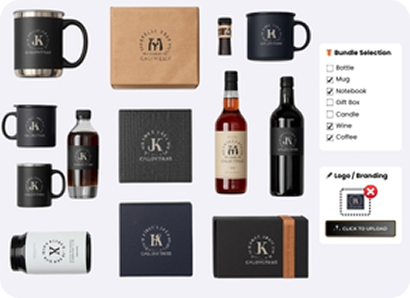
Gadget & Gifting (logos, engraving, bundles)
Enable logos, engraving, and bundles while keeping personalization simple at checkout.
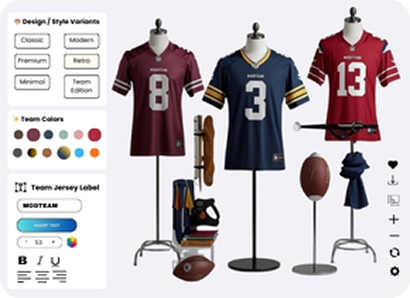
Sports & Fitness (components, sizing, accessories)
Sell size, components, and add-ons with compatibility rules to prevent wrong builds.
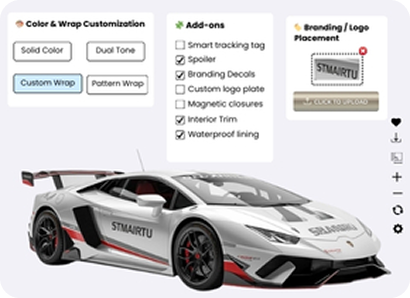
Automotive Accessories (trim packs, add-ons)
Configure trims, upgrades, and add-ons with rule-based options and real-time pricing.
Furniture & Home (modules, fabrics, finishes)
Let shoppers configure modules, fabrics, finishes, and layouts before they buy.
Fashion & Luxury (materials, stitching, monograms)
Offer material, stitching, and monogram choices with a premium, guided customization flow.
Printing (proofs, uploads, variations)
Capture uploads, proofs, and variation details cleanly — so every order is production-ready.
Gadget & Gifting (logos, engraving, bundles)
Enable logos, engraving, and bundles while keeping personalization simple at checkout.
Sports & Fitness (components, sizing, accessories)
Sell size, components, and add-ons with compatibility rules to prevent wrong builds.
Automotive Accessories (trim packs, add-ons)
Configure trims, upgrades, and add-ons with rule-based options and real-time pricing.
Ready to Launch Your 3D Product Configurator in WooCommerce?
Build interactive 3D customization experiences inside WordPress, connect them to WooCommerce, and scale faster with import/export workflows.
Admin Control & Business Growth
Run the configurator like a product — not a fragile experiment.

Error Log Dashboard
Keep your site stable with an Error Log Dashboard for fast debugging.

SEO Optimization
Improve organic visibility with SEO Optimization that links multiple products to a single configurator.

Analytics
Make smarter decisions by tracking user behavior and performance with Analytics.
Coming Soon
Error Log Dashboard
Keep your site stable with an Error Log Dashboard for fast debugging.
SEO Optimization
Improve organic visibility with SEO Optimization that links multiple products to a single configurator.
Analytics
Make smarter decisions by tracking user behavior and performance with Analytics.
Coming Soon
See the WooCommerce 3D Configurator Experience Live
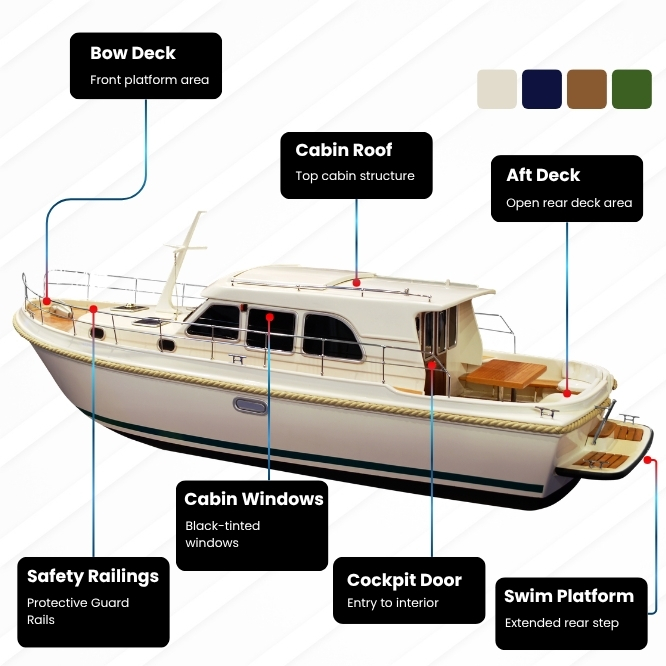
Stop guessing how it will look. See the flow your customers will use. Guided configuration steps, compatibility rules that prevent invalid builds, live pricing updates, WooCommerce add-to-cart and checkout, and more.

100% No-Risk Money Back Guarantee
You are fully protected by our 100% Money Back Guarantee. If you aren’t completely satisfied within 15 days of purchase, you’re more than welcome to a full refund.
3D Product Configurator for WooCommerce FAQs
What is a 3D product configurator?
A 3D product configurator lets your customers customize a product and see changes instantly while selecting options like colors, materials, and parts. It helps customers buy complex products with more confidence.
Does it support conditional logic and advanced constraints?
Yes, it will allow you to show/hide/disable options based on rules to prevent invalid combinations and simplify the UX.
Which file format is required for the 3D configurator?
You must upload a GLB file to create a 3D configurator. PNG files are recommended for textures or overlays.
Can I use a quote flow instead of direct checkout?
Yes. The plugin supports a Get a Quote path for high-value and B2B inquiries.
Does it include stock management and analytics?
Stock Management and Analytics are coming soon as part of the 3D configurator roadmap.
What other features are expected to come in the future?
We are continuously enhancing 3D Product Configurator Pro, our state-of-the-art WooCommerce product configurator. Since its initial release, we have introduced the following features:
- Color Picker
- Download Canvas Image
- Download Summary PDF
- Swap Visibility
- Contact Form 7 Integration
- Share Functionality
- Mesh Swapping
- Conditional Logic
- Advanced 3D Controls (Rendering, Lighting, Camera, and Scene)
The following features are planned and will be released gradually in future updates:
- Augmented Reality (AR) Allow customers to visualize configured products in their real-world environment before purchasing.
- Range & Formula-Based Pricing Enable dynamic pricing calculations based on measurements, quantities, or custom formulas.
- Conditional Logic Show or hide configuration options automatically based on user selections.
- Stock Management Manage inventory for configurable components and options.
- Analytics Track user interactions, popular configurations, and customer behavior.
- Product Inspiration Presets Provide ready-made configuration templates to inspire customers and speed up the buying process.
Can I add a WooCommerce 3D product configurator to my store without coding?
Yes. WP Configurator is built for WordPress and designed to be managed from the admin dashboard with an intuitive interface.
What pricing options are supported?
Real-Time Pricing and Layer-Based Pricing are available, while Range & Formula-Based Pricing for made-to-measure and complex pricing scenarios are soon to come.
Can customers share their configuration before buying?
Yes. Share Configuration lets customers share a configured product via a link for approvals and faster decisions.
Will the configuration work with the WooCommerce cart and checkout?
Yes. WooCommerce integration enables a seamless purchase experience from configuration through checkout.
How does linking multiple WooCommerce products to a single configurator improve SEO?
Linking multiple WooCommerce products to one configurator page consolidates SEO value instead of spreading it across several separate pages. Traffic, internal links, and ranking signals from different product pages all point to the same configurator, strengthening its authority in search engines. This helps the configurator page rank higher for relevant keywords and attract more qualified organic traffic.
How is 3D Product Configurator Pro different from 2D WP Configurator Pro?
3D Product Configurator Pro is built for interactive 3D customization using GLB models, while WP Configurator 2D Pro is designed for fast visual configuration using layered images (PNGs) – ideal when you want a lightweight, quick-to-launch product customizer without 3D models.