



Conditional Logic Add-On for WP Configurator
Control What Shoppers See, Select, and Unlock — Automatically
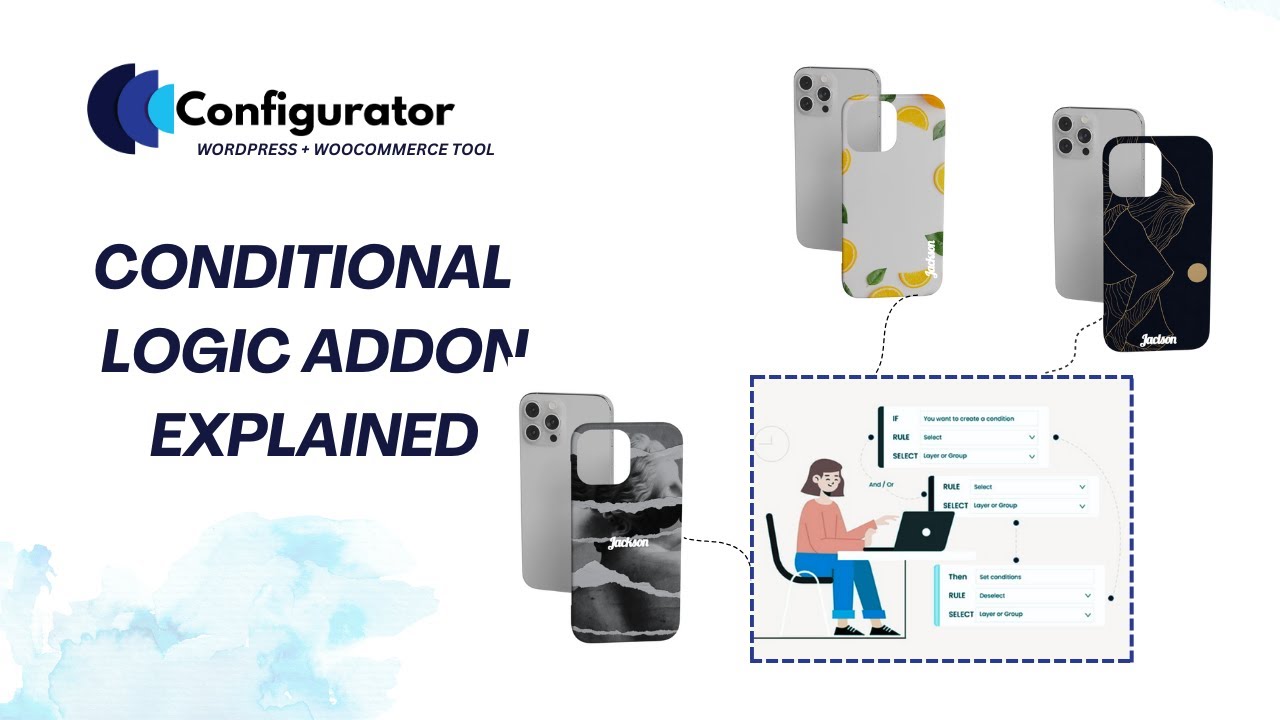
The Conditional Logic Add-On for WP Configurator Pro gives you full control over how your product configurator behaves.

Show or hide options dynamically.
Enable or disable incompatible choices.
Select or deselect options automatically.
Open or close groups to guide the buying flow.
No code required
Built for WP Configurator Pro
WooCommerce-native



























TL;DR: What It Does?
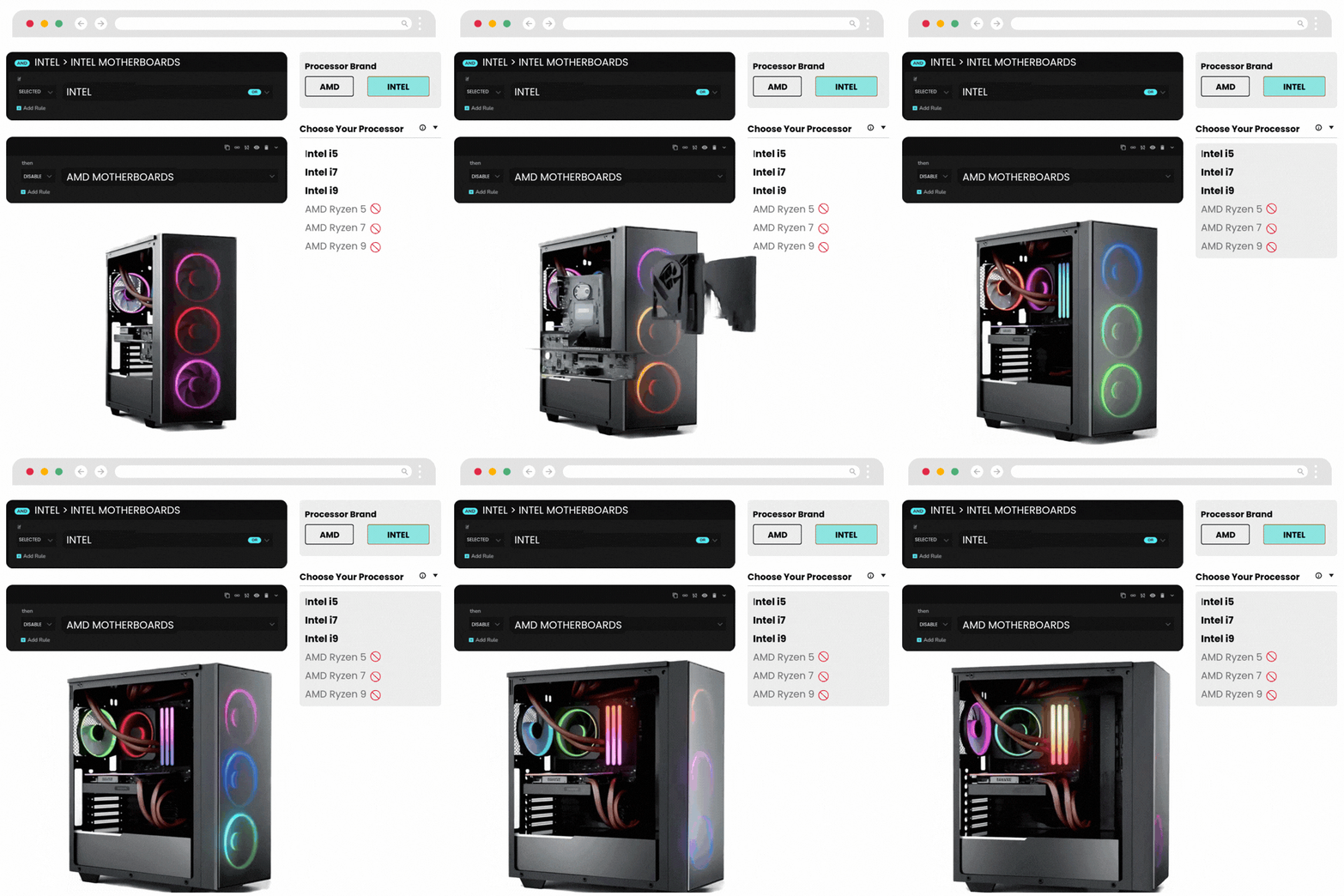
Display only the layers, groups, or controls that are relevant to the customer’s current selection.
Reduce clutter by hiding options that should not appear for a given configuration path.
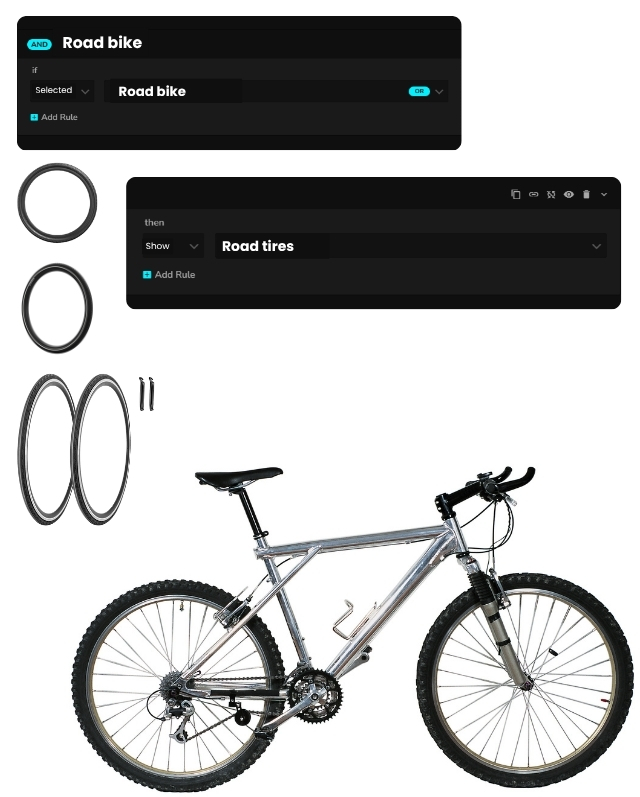
Automatically choose the right follow-up option or remove conflicting selections.
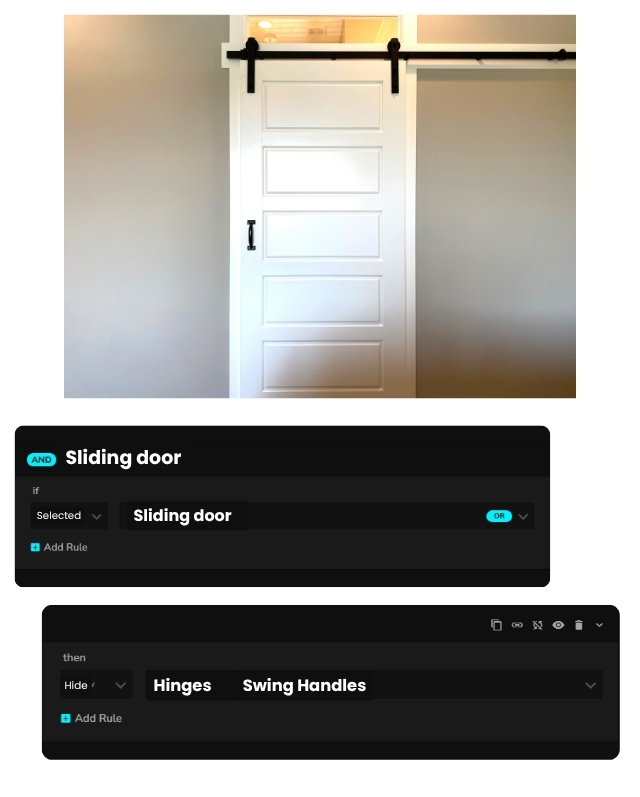
Guide the shopper forward by opening the next relevant group and closing others.
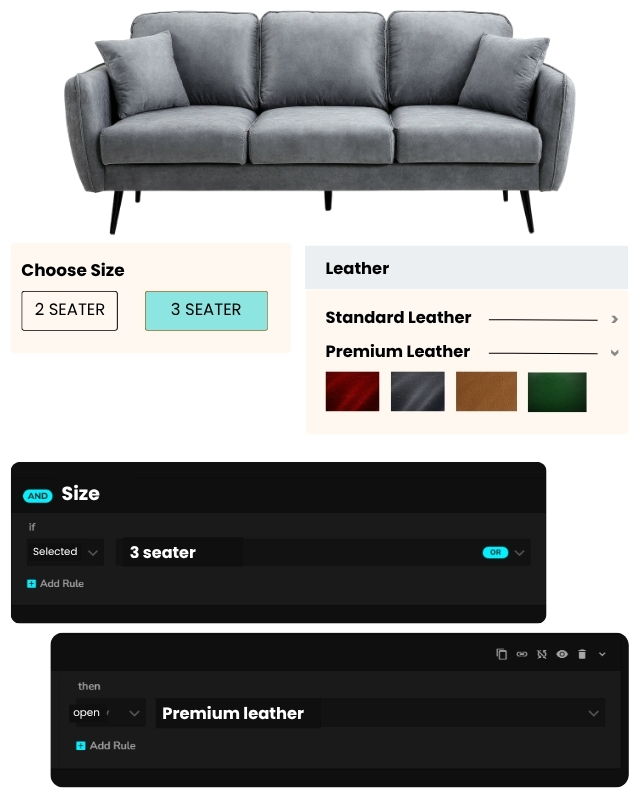
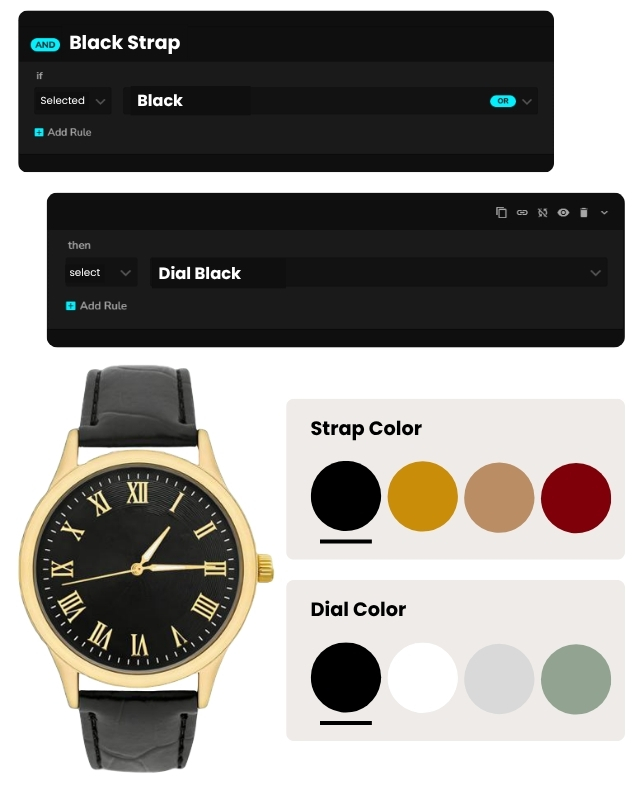
Prevent invalid or incompatible combinations without custom development.
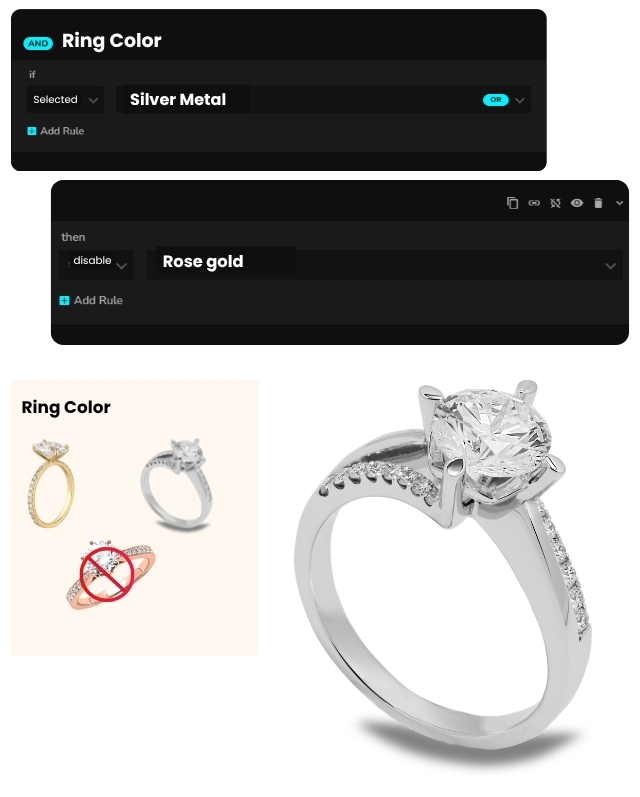
Create dynamic logic inside WP Configurator Pro using rule-based behavior instead of manual workarounds.
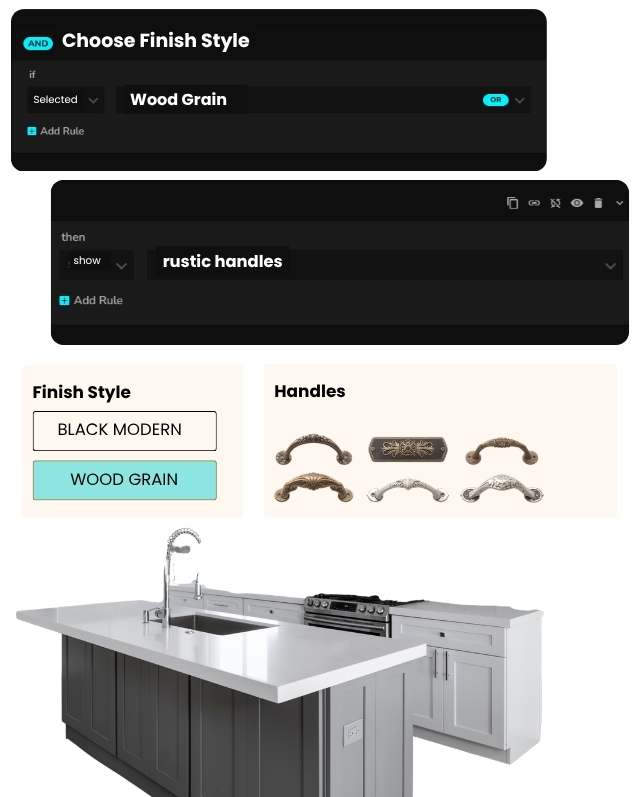
The result: A cleaner, guided configuration experience that reduces confusion and increases completion rates.
Make Your Configurator Smarter Without Making It Harder to Use
When product options depend on one another, the Conditional Logic add-on helps you keep the experience clean, intuitive, and easier to finish. Instead of displaying everything at once, you can guide shoppers step by step and remove the friction that slows customization down.
Real-World Scenarios
Conditional Logic is built for configurators where one choice should change what happens next. It helps simplify complex buying journeys, reduce invalid combinations, and make customization feel more guided instead of overwhelming.

Apparel & Personalized Text Placement
Show only the controls for the selected text position, such as side, center, or bottom, so that shoppers edit only the relevant layout.
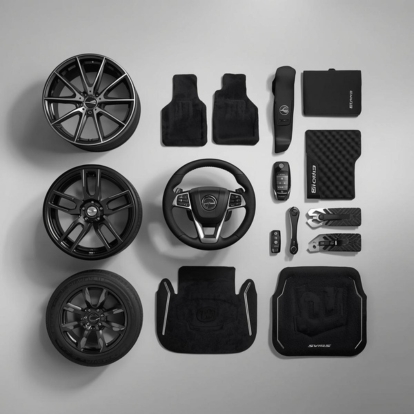
Automotive & Parts
Disable incompatible finishes, features, or part combinations before they create confusion or invalid builds.

Furniture and Modular Products
Open only the relevant component groups as the shopper chooses a style, size, layout, or structure.

Gadget & Gifting
Guide shoppers through a simpler personalization path by revealing only the next relevant choice.
Printing & Signage
Show artwork, placement, or finishing controls only when that configuration path is selected.
Complex Multi-Step Configurators
Reduce overload by hiding unnecessary options and keeping the experience cleaner at every step.
Apparel & Personalized Text Placement
Show only the controls for the selected text position, such as side, center, or bottom, so that shoppers edit only the relevant layout.
Automotive & Parts
Disable incompatible finishes, features, or part combinations before they create confusion or invalid builds.
Furniture and Modular Products
Open only the relevant component groups as the shopper chooses a style, size, layout, or structure.
Gadget & Gifting
Guide shoppers through a simpler personalization path by revealing only the next relevant choice.
Printing & Signage
Show artwork, placement, or finishing controls only when that configuration path is selected.
Complex Multi-Step Configurators
Reduce overload by hiding unnecessary options and keeping the experience cleaner at every step.
Key Capabilities

Show/Hide Layers or Groups
Reveal only the relevant control groups based on what the customer selects.

Select/Deselect Options
Automatically select the right option path or deselect conflicting layers and attributes.

Open/Close Groups
Open the next relevant group and close distractions to keep the interface focused.

Enable/Disable Layers
Allow or block specific options depending on earlier selections.

Reverse Conditions
Create the opposite logic path quickly when a vice-versa rule is needed.

Chain/Nested Rules
Build more advanced logic using multiple conditions and deeper targeting.
Show/Hide Layers or Groups
Reveal only the relevant control groups based on what the customer selects.
Select/Deselect Options
Automatically select the right option path or deselect conflicting layers and attributes.
Open/Close Groups
Open the next relevant group and close distractions to keep the interface focused.
Enable/Disable Layers
Allow or block specific options depending on earlier selections.
Reverse Conditions
Create the opposite logic path quickly when a vice-versa rule is needed.
Chain/Nested Rules
Build more advanced logic using multiple conditions and deeper targeting.
Setting Up: From Zero to Live
Conditional Logic works best when the configurator structure is organized first.
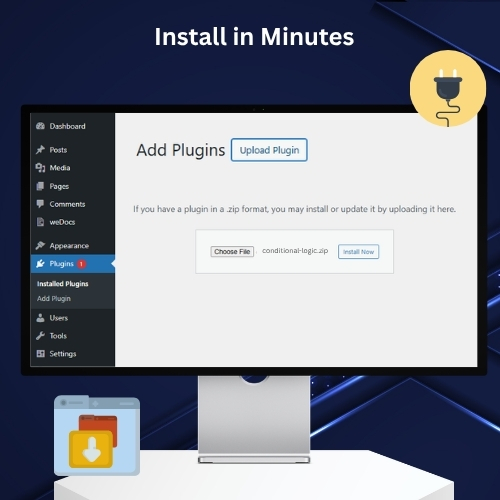
Install and Activate the Add-On
Upload the zip file in WordPress the same way you install WP Configurator Pro, then activate the add-on.
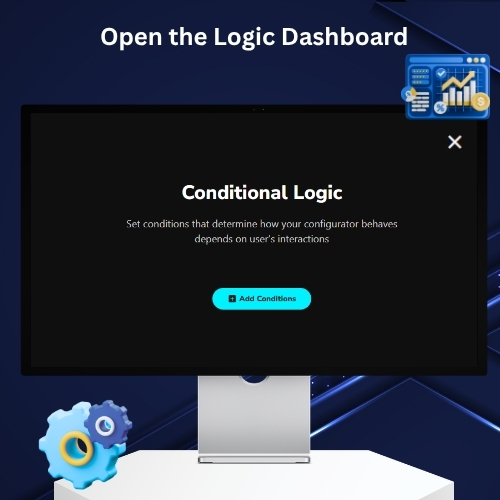
Open the Conditional Dashboard
After activation, the conditional icon appears in the configurator editing panel, giving you access to the rule builder.
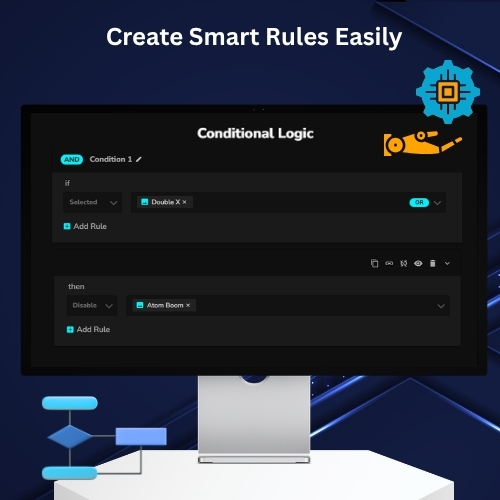
Add Conditions and Define Actions
Create clearly named rules, choose the IF trigger, and set the THEN actions such as show, hide, deselect, enable, or close.
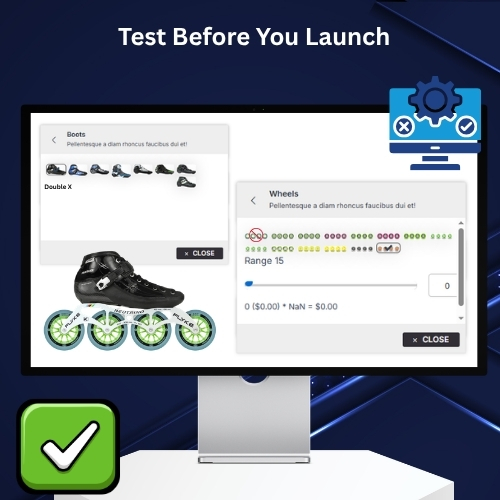
Test Front-End Behavior
Verify that the correct groups appear, conflicting paths are removed, and only the intended experience is visible to the customer.
Install and Activate the Add-On
Upload the zip file in WordPress the same way you install WP Configurator Pro, then activate the add-on.
Open the Conditional Dashboard
After activation, the conditional icon appears in the configurator editing panel, giving you access to the rule builder.
Add Conditions and Define Actions
Create clearly named rules, choose the IF trigger, and set the THEN actions such as show, hide, deselect, enable, or close.
Test Front-End Behavior
Verify that the correct groups appear, conflicting paths are removed, and only the intended experience is visible to the customer.
What Your Shoppers See
From the shopper’s side, Conditional Logic feels like a smarter and more guided product experience. Instead of seeing every possible option at once, they only see the controls that matter for the path they are taking.
-
Select a layout or option
Only the relevant controls appear for that choice.
-
Choose a different path
Previously irrelevant groups open, close, show, or hide automatically.
-
Select an incompatible option
Conflicting choices can be deselected or disabled to prevent mistakes.
-
Follow a guided configuration path
The next relevant group opens while distractions stay hidden.
-
Complete a complex customization
The experience feels cleaner, more focused, and easier to understand.
Best Practices for Conditional Logic

Organize your groups before writing rules
Clear group and subgroup structure makes conditions easier to manage, test, and scale.

Name every condition clearly
Use descriptive rule names so you can troubleshoot or expand logic later without confusion.

Show only what the shopper needs next
Use show, open, and select actions to guide the journey instead of overwhelming users with every option at once.

Hide, close, and deselect conflicting paths
When one route is selected, remove irrelevant or incompatible options so the interface stays focused.

Use reverse or chained logic only when it adds clarity
These features are powerful, but they should simplify the journey — not make the rule set harder to maintain.

Re-test logic after duplicating configurators
If you duplicate a product configurator, review and verify conditions carefully.
Organize your groups before writing rules
Clear group and subgroup structure makes conditions easier to manage, test, and scale.
Name every condition clearly
Use descriptive rule names so you can troubleshoot or expand logic later without confusion.
Show only what the shopper needs next
Use show, open, and select actions to guide the journey instead of overwhelming users with every option at once.
Hide, close, and deselect conflicting paths
When one route is selected, remove irrelevant or incompatible options so the interface stays focused.
Use reverse or chained logic only when it adds clarity
These features are powerful, but they should simplify the journey — not make the rule set harder to maintain.
Re-test logic after duplicating configurators
If you duplicate a product configurator, review and verify conditions carefully.
Compatibility & Best Pairings
WP Configurator Pro is the foundation. Add-ons unlock specific workflows (rules, pricing, personalization, stock control).
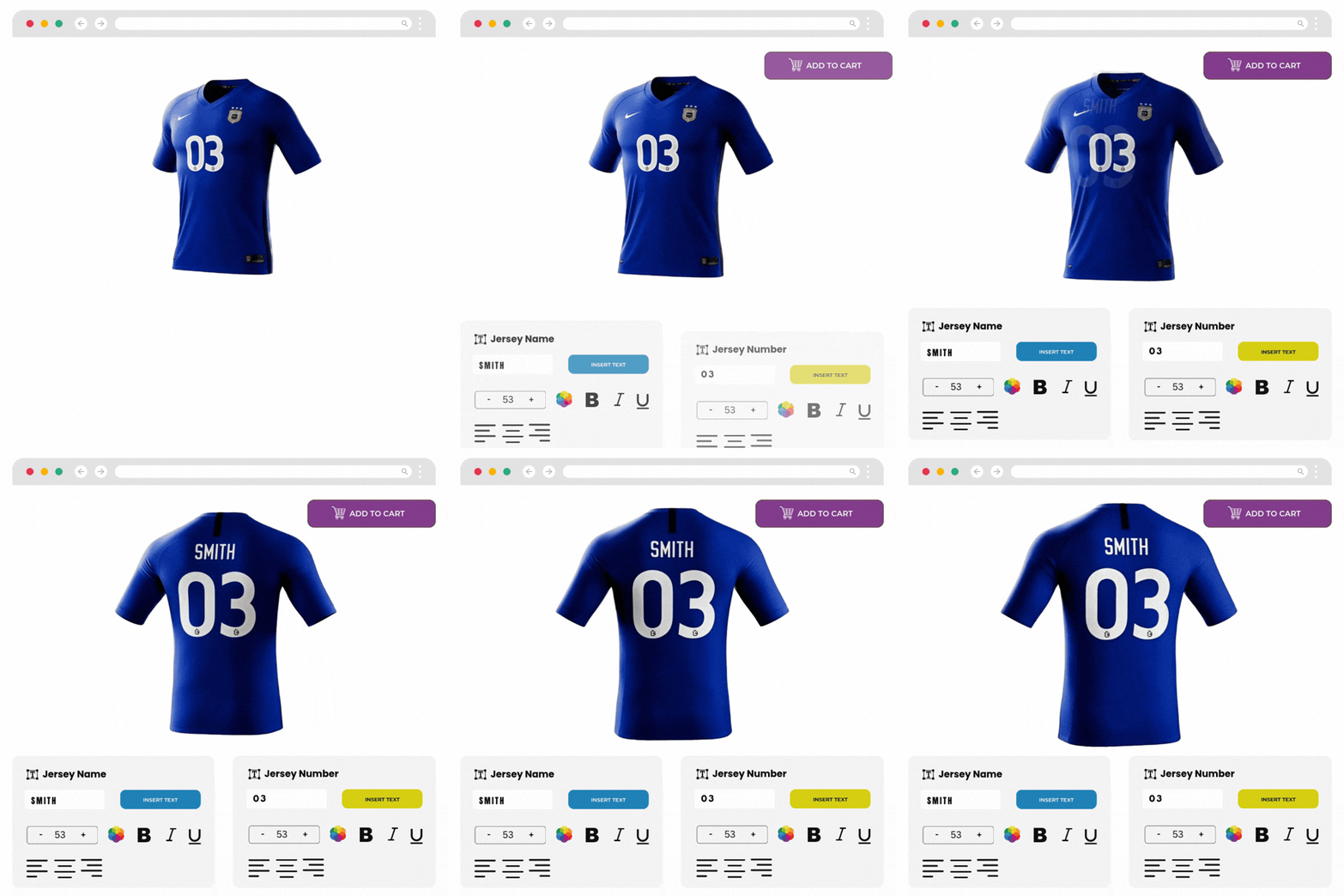
Custom Text Add-On
Show only the controls relevant to the selected text layout or personalization path.

Custom Image Upload Add-On
Reveal image-upload and editing controls only when image-based personalization is selected.
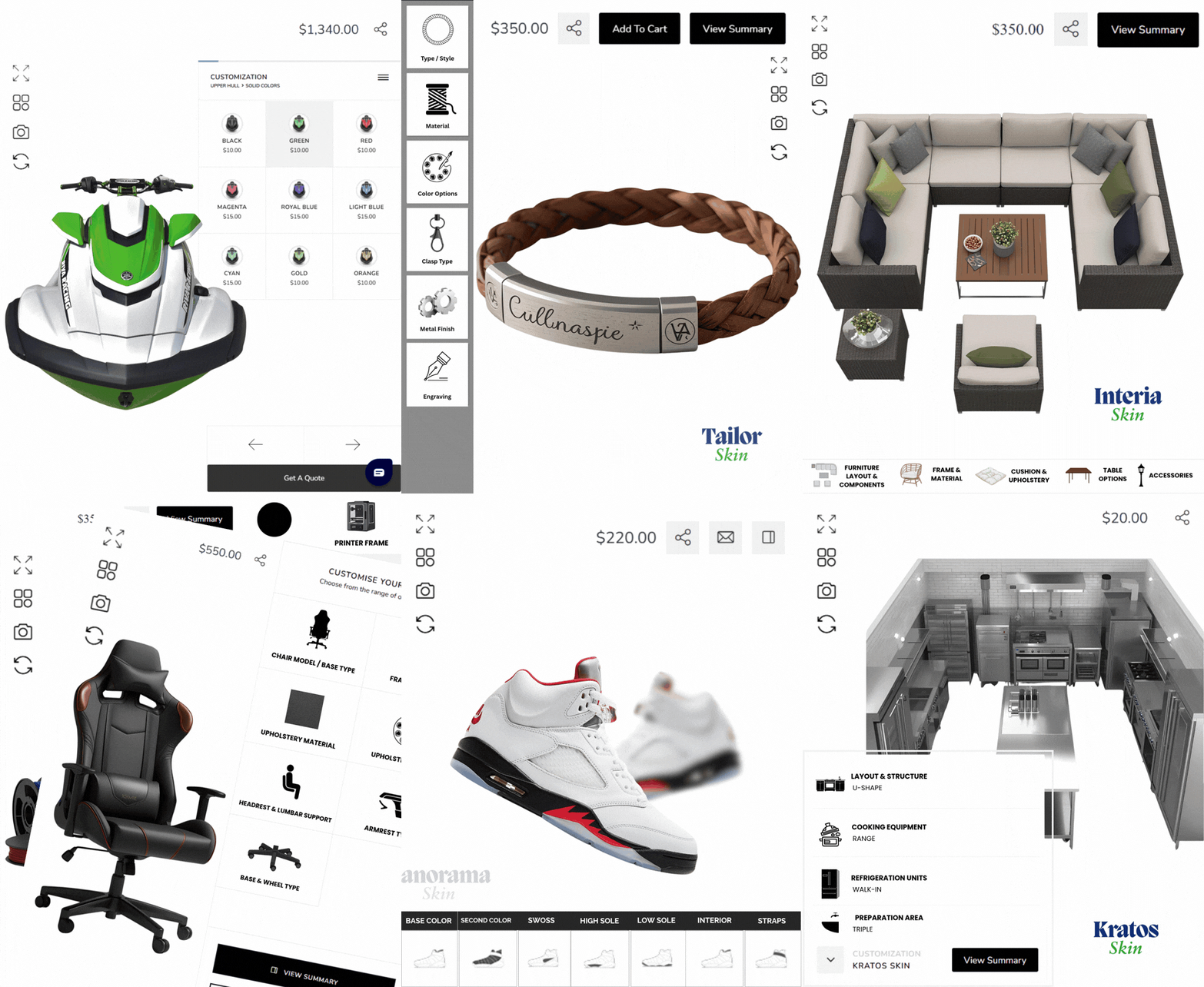
Professional Skins
A cleaner front-end layout makes dynamic logic easier for shoppers to follow.
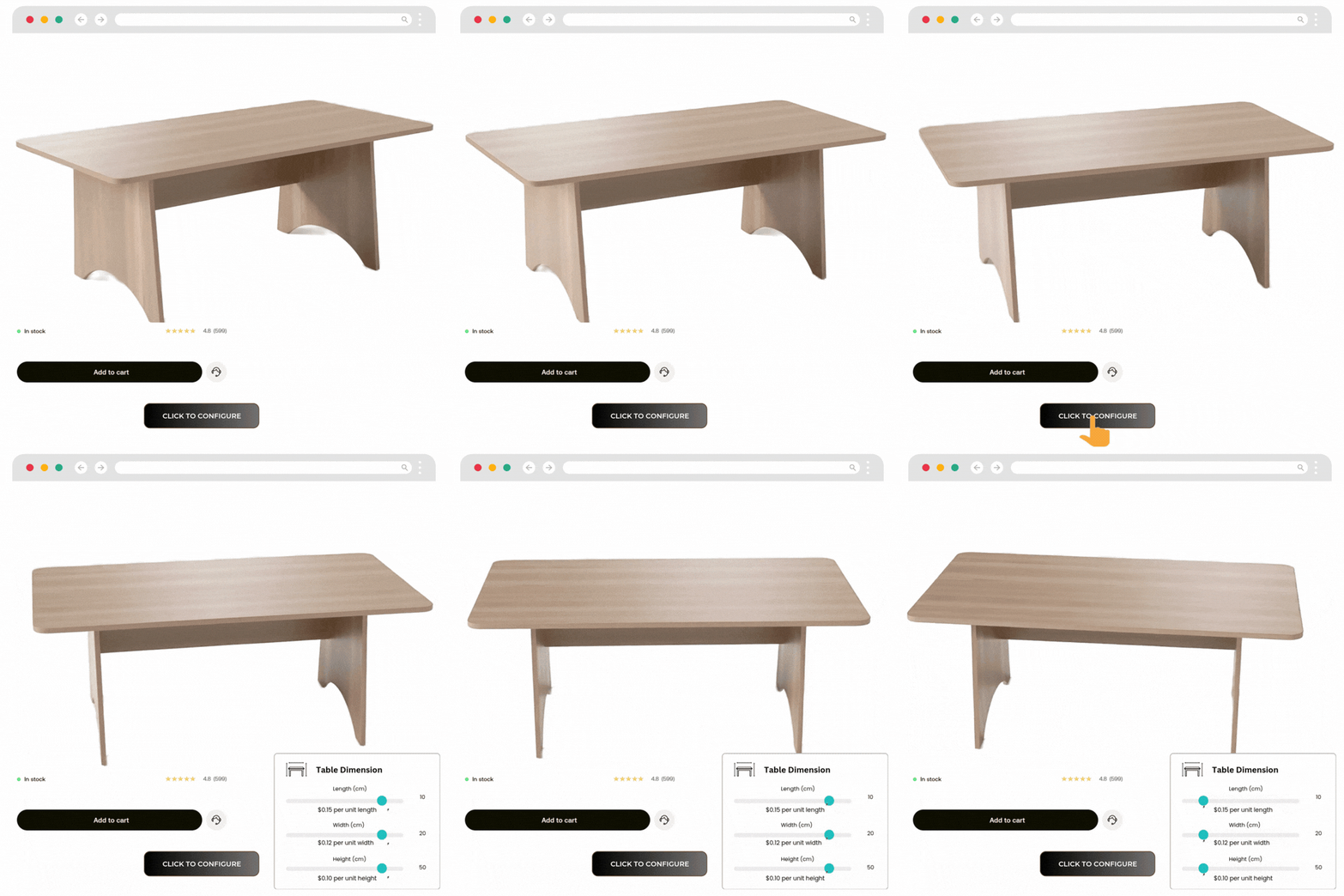
Dynamic Range Pricing Add-On
Combined guided option flow with pricing logic for more advanced configuration scenarios.
Custom Text Add-On
Show only the controls relevant to the selected text layout or personalization path.
Custom Image Upload Add-On
Reveal image-upload and editing controls only when image-based personalization is selected.
Professional Skins
A cleaner front-end layout makes dynamic logic easier for shoppers to follow.
Dynamic Range Pricing Add-On
Combined guided option flow with pricing logic for more advanced configuration scenarios.
What Our Customers Are Saying

zarbikes.com
“Before using WPConfigurator, I struggled to display custom products on my website, Zarbikes.com. WP Configurator Pro tool changed everything. Now, I can showcase my products exactly how I want, and I’m excited to explore more features to enhance other areas of my site.”
Read More

sepra-solutions.com
“Our website’s user experience has improved dramatically thanks to WPConfigurator. The site is now easier to navigate, and this has supported our business growth. We’re very satisfied with how things have turned out.”
Read More
artchustudio.com
“Our website has improved significantly since we started using WPConfigurator. The shopping experience is now smoother, and our customers love how easy it is to customize products. It’s been a game-changer for us.”
Read More
cancio.es
“I needed a configurator for a client, and WP Configurator Pro was the perfect fit. It was straightforward to set up, and the client-side interface is simple and intuitive. The end-user experience is seamless, which made my client very happy.”
Read More
vo2sportswear
“Adding a kit designer to our website was a priority, but other options were too expensive. WPConfigurator provided a cost-effective solution. It’s been fantastic for generating leads—customers can create custom designs effortlessly. Using our own garment patterns ensures accurate previews, and the ability to upload text and images for logos and squad numbers is a huge bonus.”
Read More
himandi.rs
“WPConfigurator has made it much easier for my customers to understand my products. The clear and simple descriptions have been a big help, and it’s had a positive impact on my business.”
Read More
dansk-rideudstyr.dk
“With WPConfigurator, we’ve been able to showcase our products more effectively. The website is now more user-friendly, and the improved experience has directly contributed to an increase in sales. We couldn’t be happier with the results.”
Read More
momiheadmade.com
“We use WPConfigurator to customize bags for our customers, and it’s been a fantastic product configurator tool. It’s easy to use and fits our needs perfectly. It’s made a big difference for our business.”
Read More
farmyth.com
“We are able to offer better shopping experience to our client.”
Read More
olijo.com
“Selling personalized products became much easier with WPConfigurator. Our website is now more functional and user-friendly, and customers really appreciate the customization options. It’s been a great addition to our business.”
Read More
Platex.com
“Being able to offer to our customers easy customization of a product. With features to see the product actual look and how much it will cost them. This open new business niche and increased sales.”
Read More
easytags
“Boosted revenue and increased customer engagement.”

dantebrtoni.com
“Enabled us to show to our customers what they should have in a clear and innovative way.”
Read More
“Great support, fast responses, and very accommodating! I tried the configurator, and it’s an absolutely fantastic tool. Unfortunately, it didn’t work for my specific use case, but I received a refund immediately. The support team was quick, friendly, reliable, and very professional. Highly recommended!”
Read More

“Great support and response time I bought the plugin december 2024 and had alot of problems with it. It may be my setup or that i bought in in a middle of an update period for woocommerce, wordpress etc. They went far to help me out and was outstanding when it came to support and detailed responses. Unfortunately we couldn t find a solution that made it to work since when one thing was fixed the next problem showed up. They refunded me after they (and i) tried to solve the problems. I m a bit sad since the plugin looks really awesome and does everything i need. 5 stars for the hard effort to help me out!”
Read More
“Exceptional Tool for Customizing Products – WP Configurator Review I recently came across WP Configurator while searching for a reliable product configurator online, and I must say, it s a game changer! The tool is incredibly user-friendly and allowed me to customize products exactly how I wanted with just a few clicks. The interface is intuitive, making it easy even for someone with minimal technical skills like myself to navigate and use effectively.”
Read More
“WPConfigurator is an incredible product configuration plugin and platform. You can create a super professional-looking configuration. The support team is responsive and always ready to help you find a solution. I highly recommend WPConfigurator and their friendly and knowledgeable support team.”
Read More
“Had an issue with the woocommerce order of a configurator product and even though they didnt have that feauture yet they created a little script i could add to my site which helped me out immensly. Thank you so much to the wonderful team of configurator pro!”
Read More
“This plugin means lot for my project. I had an issue and they found a way to solve it… eventhough we had a long time working on it. But the idea was always to find the best way to give a solution in order to the project’s going on and go live for customers’ benefit. I’m gratefull of this effort.This plugin means lot for my project. I had an issue and they found a way to solve it… eventhough we had a long time working on it. But the idea was always to find the best way to give a solution in order to the project’s going on and go live for customers’ benefit. I’m gratefull of this effort.”
Read More
“I’ve been using WPConfigurator, and honestly, it’s been great. It’s really easy to set up, and you can customize just about anything. Whenever I’ve needed help, the support team has been quick to respond. If you need a solid tool for product configurators, this one’s a winner.”
Read More
“I’m using wpconfigurator software for 4 years and I’m really happy, with the support and with the plugin, thanks wpconfigurator team!”
Read More
“Im really satisfied with the quality and price of this awesome plugin. Is the most intuitive product configurator in the market. Thank You WPConfigurator Team!”
Read More
“Best WordPress configurator Plugin After trying several configurator plugins, I can confidently say that WPConfigurator is the best of the bunch. Its seamless integration with WooCommerce and user-friendly interface make customization a breeze. The support team is exceptional and even went above and beyond (But they a day or two fix to find fix the issue, with my experience usually issues causes other plugins). WPConfigurator is the ultimate choice if you need a configurator for wordpress.”
Read More
zarbikes.com
“Before using WPConfigurator, I struggled to display custom products on my website, Zarbikes.com. WP Configurator Pro tool changed everything. Now, I can showcase my products exactly how I want, and I’m excited to explore more features to enhance other areas of my site.”
Read More
sepra-solutions.com
“Our website’s user experience has improved dramatically thanks to WPConfigurator. The site is now easier to navigate, and this has supported our business growth. We’re very satisfied with how things have turned out.”
Read More
artchustudio.com
“Our website has improved significantly since we started using WPConfigurator. The shopping experience is now smoother, and our customers love how easy it is to customize products. It’s been a game-changer for us.”
Read More
cancio.es
“I needed a configurator for a client, and WP Configurator Pro was the perfect fit. It was straightforward to set up, and the client-side interface is simple and intuitive. The end-user experience is seamless, which made my client very happy.”
Read More
vo2sportswear
“Adding a kit designer to our website was a priority, but other options were too expensive. WPConfigurator provided a cost-effective solution. It’s been fantastic for generating leads—customers can create custom designs effortlessly. Using our own garment patterns ensures accurate previews, and the ability to upload text and images for logos and squad numbers is a huge bonus.”
Read More
himandi.rs
“WPConfigurator has made it much easier for my customers to understand my products. The clear and simple descriptions have been a big help, and it’s had a positive impact on my business.”
Read More
dansk-rideudstyr.dk
“With WPConfigurator, we’ve been able to showcase our products more effectively. The website is now more user-friendly, and the improved experience has directly contributed to an increase in sales. We couldn’t be happier with the results.”
Read More
momiheadmade.com
“We use WPConfigurator to customize bags for our customers, and it’s been a fantastic product configurator tool. It’s easy to use and fits our needs perfectly. It’s made a big difference for our business.”
Read More
farmyth.com
“We are able to offer better shopping experience to our client.”
Read More
olijo.com
“Selling personalized products became much easier with WPConfigurator. Our website is now more functional and user-friendly, and customers really appreciate the customization options. It’s been a great addition to our business.”
Read More
Platex.com
“Being able to offer to our customers easy customization of a product. With features to see the product actual look and how much it will cost them. This open new business niche and increased sales.”
Read More
easytags
“Boosted revenue and increased customer engagement.”
dantebrtoni.com
“Enabled us to show to our customers what they should have in a clear and innovative way.”
Read More
“Great support, fast responses, and very accommodating! I tried the configurator, and it’s an absolutely fantastic tool. Unfortunately, it didn’t work for my specific use case, but I received a refund immediately. The support team was quick, friendly, reliable, and very professional. Highly recommended!”
Read More
“Great support and response time I bought the plugin december 2024 and had alot of problems with it. It may be my setup or that i bought in in a middle of an update period for woocommerce, wordpress etc. They went far to help me out and was outstanding when it came to support and detailed responses. Unfortunately we couldn t find a solution that made it to work since when one thing was fixed the next problem showed up. They refunded me after they (and i) tried to solve the problems. I m a bit sad since the plugin looks really awesome and does everything i need. 5 stars for the hard effort to help me out!”
Read More
“Exceptional Tool for Customizing Products – WP Configurator Review I recently came across WP Configurator while searching for a reliable product configurator online, and I must say, it s a game changer! The tool is incredibly user-friendly and allowed me to customize products exactly how I wanted with just a few clicks. The interface is intuitive, making it easy even for someone with minimal technical skills like myself to navigate and use effectively.”
Read More
“WPConfigurator is an incredible product configuration plugin and platform. You can create a super professional-looking configuration. The support team is responsive and always ready to help you find a solution. I highly recommend WPConfigurator and their friendly and knowledgeable support team.”
Read More
“Had an issue with the woocommerce order of a configurator product and even though they didnt have that feauture yet they created a little script i could add to my site which helped me out immensly. Thank you so much to the wonderful team of configurator pro!”
Read More
“This plugin means lot for my project. I had an issue and they found a way to solve it… eventhough we had a long time working on it. But the idea was always to find the best way to give a solution in order to the project’s going on and go live for customers’ benefit. I’m gratefull of this effort.This plugin means lot for my project. I had an issue and they found a way to solve it… eventhough we had a long time working on it. But the idea was always to find the best way to give a solution in order to the project’s going on and go live for customers’ benefit. I’m gratefull of this effort.”
Read More
“I’ve been using WPConfigurator, and honestly, it’s been great. It’s really easy to set up, and you can customize just about anything. Whenever I’ve needed help, the support team has been quick to respond. If you need a solid tool for product configurators, this one’s a winner.”
Read More
“I’m using wpconfigurator software for 4 years and I’m really happy, with the support and with the plugin, thanks wpconfigurator team!”
Read More
“Im really satisfied with the quality and price of this awesome plugin. Is the most intuitive product configurator in the market. Thank You WPConfigurator Team!”
Read More
“Best WordPress configurator Plugin After trying several configurator plugins, I can confidently say that WPConfigurator is the best of the bunch. Its seamless integration with WooCommerce and user-friendly interface make customization a breeze. The support team is exceptional and even went above and beyond (But they a day or two fix to find fix the issue, with my experience usually issues causes other plugins). WPConfigurator is the ultimate choice if you need a configurator for wordpress.”
Read More

100% No-Risk Money Back Guarantee
You are fully protected by our 100% Money Back Guarantee. If you aren’t completely satisfied within 15 days of purchase, you’re more than welcome to a full refund.
Conditional Logic Add-On FAQs
What is the Conditional Logic Add-On in WP Configurator?
It is an add-on for WP Configurator Pro that lets you create rules to show, hide, select, deselect, enable, disable, open, or close options dynamically based on customer selections.
Can I show or hide groups based on customer selections?
Yes. Showing and hiding layers or groups is one of the main use cases of the WP Configurator add-on.
Can Conditional Logic deselect incompatible options automatically?
Yes. The add-on supports deselect actions, which are useful for removing conflicting or inappropriate combinations automatically.
Do I need coding knowledge to use Conditional Logic?
No. Conditional Logic add-on for WP Configurator is a no-code way to create dynamic product logic inside the plugin.
Does this add-on support open/close and enable/disable actions?
Yes. The rule builder supports both open/close and enable/disable behaviors.
Can I create reverse conditions or more advanced chained logic using the WP Configurator add-on?
Yes. Check the Conditional Logic documentation that describes reverse conditions and nested rules for more advanced targeting.
Does it work natively with WP Configurator Pro and WooCommerce?
Yes. The Conditional Logic add-on is built for WP Configurator Pro and WooCommerce/WordPress ecosystem.
What should I do if Conditional Logic stops working after duplicating a configurator?
WP Configurator recommends using its Condition Copy plugin to copy the conditions from the original configurator to the duplicated once. In WordPress, go to Tools → Copy Conditions, choose the source product and target product, then click Copy Meta.