



On this page
Introduction
Selling products online is no longer limited to businesses that started as ecommerce brands. Manufacturers, retailers, wholesalers, artisans, and service-based businesses can now turn their products into digital storefronts and reach customers beyond their local market.
However, moving a product online involves more than simply uploading product photos and adding a Buy button. You need to choose the right products, establish a strong online presence, create a smooth shopping experience, plan your shipping process, and market your store effectively.
The good news is that you do not need to be a developer or ecommerce expert to get started. With the right tools and a clear plan, you can digitize your products and build an online store in a few practical steps.
Here are five steps to help you get started.
1. Pick Products to Sell
Deciding what to sell is the first and one of the most important steps in building an online business. Start by researching a broad market or industry, then narrow your focus to a specific niche.
Choosing a well-defined niche can make it easier to understand your customers, identify their needs, create targeted marketing campaigns, and differentiate your products from competitors.
For example, instead of targeting all pet owners, you could focus on organic pet food and treats. This gives your business a clearer audience and allows you to build products and marketing messages around their specific preferences.
When choosing products, consider both market demand and your own knowledge or interest in the industry. Building an online store takes time, so choosing a product category you understand can make the process easier and more rewarding.
You should also consider how your products will be sourced and fulfilled.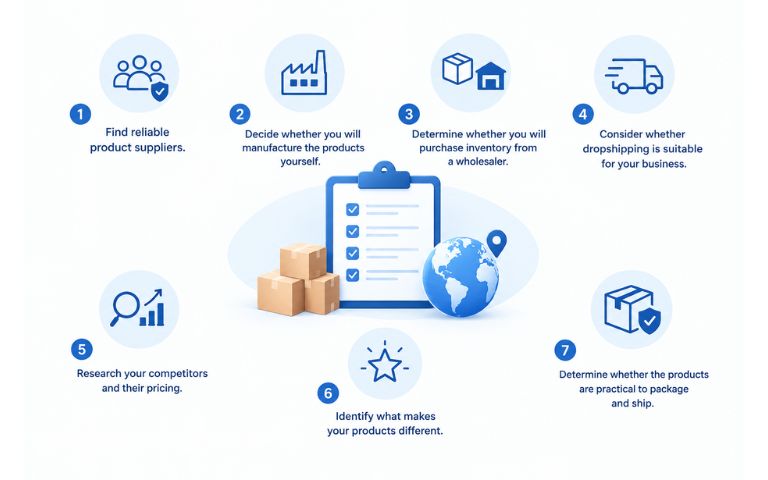
Things to consider include:
- Find reliable product suppliers.
- Decide whether you will manufacture the products yourself.
- Determine whether you will purchase inventory from a wholesaler.
- Consider whether drop-shipping is suitable for your business.
- Research your competitors and their pricing.
- Identify what makes your products different.
- Determine whether the products are practical to package and ship.
These questions can help you develop a clearer business plan before investing in your online store.
If your products have multiple options, sizes, materials, colors, or components, you should also consider how customers will select those options online. A product configurator can make complex products easier to understand by allowing shoppers to customize and visualize their selections before purchasing.
2. Get Your Domain Name
Your domain name is the web address customers will use to find your online store. It is also an important part of your brand identity.
A good domain name should be easy to remember, easy to spell, and relevant to your business. Ideally, customers should be able to hear the name once and know how to type it.
When choosing your domain name:
- Make it memorable.
- Keep it simple and easy to read.
- Consider including a relevant keyword when appropriate.
- Avoid unnecessary numbers, symbols, or complicated spelling.
- Make sure it works well as a brand name.
- Check that the name is available before building your branding around it.
Your domain is more than just a website address. It becomes part of your brand and can appear on packaging, business cards, social media profiles, advertisements, email campaigns, and other marketing materials.
Take time to choose a name that can grow with your business. Avoid choosing a domain that is so specific that it limits you if you decide to expand your product range later.
3. Build Your Online Store
Once you know what you want to sell and have your domain name, the next step is to build your online store.
Many business owners hesitate to create an ecommerce website because they assume they need advanced technical skills. Today, however, ecommerce platforms and website tools make it possible to create a professional online store without building everything from scratch.
When choosing an ecommerce platform, look for one that supports the features your business actually needs.
These may include:
- Easy product management
- Secure checkout
- Multiple payment options
- Mobile-friendly design
- Product customization
- Inventory management
- Customer account management
- Shipping and tax options
- Marketing integrations
- Analytics and reporting
- Customer support
The shopping experience is especially important if you sell customizable or complex products.
For example, customers may want to choose different colors, materials, dimensions, accessories, finishes, or other product options. Instead of presenting customers with a long list of confusing drop-down menus, a product configurator can create a more interactive experience.
With a visual product configurator, customers can select options and see how their choices affect the final product. This can make complex products easier to understand and give shoppers greater confidence before they add an item to their cart.
For businesses using WordPress and WooCommerce, tools such as WP Configurator can help turn products into interactive configuration experiences while keeping the ecommerce functionality of the website.
The goal is not simply to create a website. Your goal should be to create an online shopping experience that makes it easy for customers to understand, customize, purchase, and receive your products.
Now that you have an idea for choosing a great ecommerce platform, start building your own website!
4. Select Shipping Methods
Shipping is one of the most important parts of selling physical products online. Customers want to know how much delivery will cost, when their order will arrive, and which shipping options are available.
Shipping costs can also influence whether customers complete their purchases. Baymard Institute’s latest ecommerce research reports that 40% of shoppers who abandoned a checkout did so because extra costs such as shipping, taxes, or fees were too high.
Another Baymard study found that 64% of users looked for shipping costs on product pages before deciding whether to add a product to their cart.
This means shipping information should not be treated as an afterthought.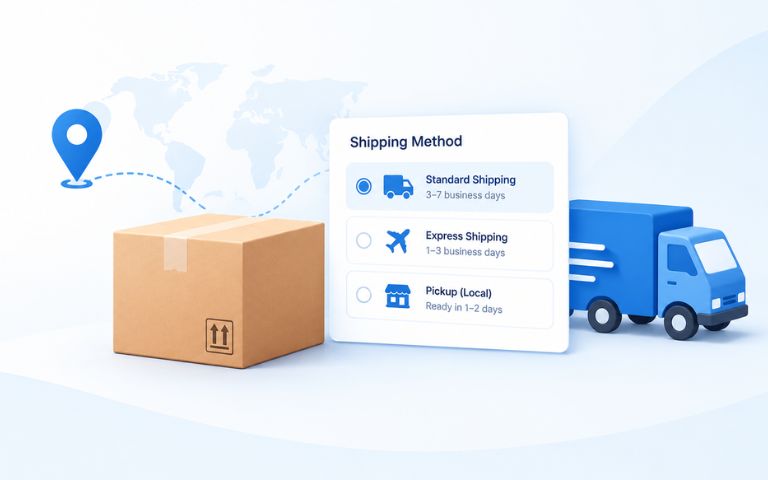
Before launching your store, determine:
- Package dimensions
- Package weight
- Shipping destination
- Available shipping carriers
- Delivery time
- Shipping zones
- Free shipping thresholds
- International shipping requirements
- Additional surcharges or fees
You should also make shipping information easy to find. Providing an estimated shipping cost before checkout can help customers understand the total cost of their order and reduce uncertainty.
Shipping Cost Calculators
Shipping rates vary depending on the carrier, package size, weight, destination, delivery speed, and other factors. Using official carrier calculators can help you estimate shipping costs when planning your ecommerce operation.
USPS Shipping Rate Calculator
Use the official USPS price calculator to estimate postage based on your shipment details.
USPS Retail Postage Price Calculator
FedEx Shipping Rate Calculator
FedEx provides an online rate calculator that considers information such as shipment size, weight, destination, and service requirements.
FedEx Shipping Rates and Calculator
UPS Shipping Cost Calculator
UPS provides a shipping quote tool where you can enter shipment and destination details to compare available shipping options.
UPS Shipping Cost Calculator
For businesses operating in the Philippines, shipping rates and services will vary depending on the carrier and destination. For example, FedEx provides Philippines-specific shipping rates and a rate tool for calculating international shipping costs.
Do not automatically assume that free shipping is always the best option. Compare your product margins, average order value, shipping expenses, and customer expectations before deciding whether to offer free shipping, flat-rate shipping, or calculated shipping.
Most importantly, make the shipping cost and delivery information clear before the customer reaches the final payment step.
5. Market Your Online Store
Once your online store is ready, it is time to bring customers to it.
Launching a website does not automatically generate traffic or sales. You need a marketing strategy that helps potential customers discover your products, understand their value, and return to your store.
Social media can be a useful starting point. Platforms such as Facebook, Instagram, LinkedIn, TikTok, and X can help you showcase products, share educational content, communicate with customers, and build a community around your brand.
However, social media should not be your only marketing channel.
Consider combining several strategies:
Social Media
Create useful and engaging content around your products. Share product photos, videos, tutorials, customer stories, product demonstrations, and customization ideas. Include links back to your website where appropriate.
Email Marketing
Build an email list and use newsletters to promote new products, special offers, product updates, educational content, and seasonal campaigns.
Email marketing can also help you stay connected with customers who are interested in your products but are not ready to purchase immediately.
Search Engine Optimization
SEO can help potential customers discover your products through Google and other search engines.
Create useful product pages and blog content around the questions your customers are already searching for. Optimize your titles, headings, product descriptions, images, and internal links while keeping the content useful and natural.
Paid Advertising
Once you understand which products and audiences perform well, paid advertising can help you reach potential customers more quickly.
You can use platforms such as Google Ads and social media advertising to target people based on search intent, interests, demographics, or previous interactions with your website.
Product Visualization and Customization
If you sell products that customers can personalize, demonstrate that experience in your marketing.
Instead of simply showing a static product image, show customers how they can change colors, materials, components, finishes, or other options. Interactive product visualization can help shoppers understand the product before they buy and make the online shopping experience more engaging.
Conclusion
Digitizing your products and selling them online does not have to be complicated. The process starts with choosing the right products and understanding your target customers, then continues with building a memorable online presence, creating a user-friendly ecommerce store, planning reliable shipping, and marketing your products consistently.
The most successful online stores focus on more than simply putting products on a website. They make it easy for customers to understand what they are buying, calculate the total cost, explore their options, and confidently complete their purchase.
If your products involve customization, multiple options, or complex configurations, consider adding an interactive product configurator to your ecommerce store. Giving customers the ability to configure and visualize their products before checkout can create a more engaging shopping experience and help remove uncertainty from the buying process.
With the right ecommerce tools and strategy, your physical products can become digital shopping experiences that reach customers wherever they are.
If you’re looking for a professional way to add product customization and visualization to a WordPress or WooCommerce store, explore WP Configurator and see how an interactive product configurator can transform the way customers shop online.


WPConfigurator Dev
Archie is a WordPress specialist with a strong background in technical support, website customization, and e-commerce solutions. He focuses on helping businesses improve their platforms through efficient configurations and seamless integrations. At WPConfigurator, he assists clients with setup, troubleshooting, and optimizing their overall website experience. He is highly proficient in WordPress and various modern web tools.
You might also enjoy



100% No-Risk Money Back Guarantee
You are fully protected by our 100% Money Back Guarantee. If you aren’t completely satisfied within 15 days of purchase, you’re more than welcome to a full refund.