



Free Skins
Configurator Pro is coming with 6 Beautiful Skins
WP Configurator Plugin allows users to modify the product and offer them a better user experience. These are the 4 main steps you need to follow, to prepare your product configurator. Don’t worry, as it is easier than you think.
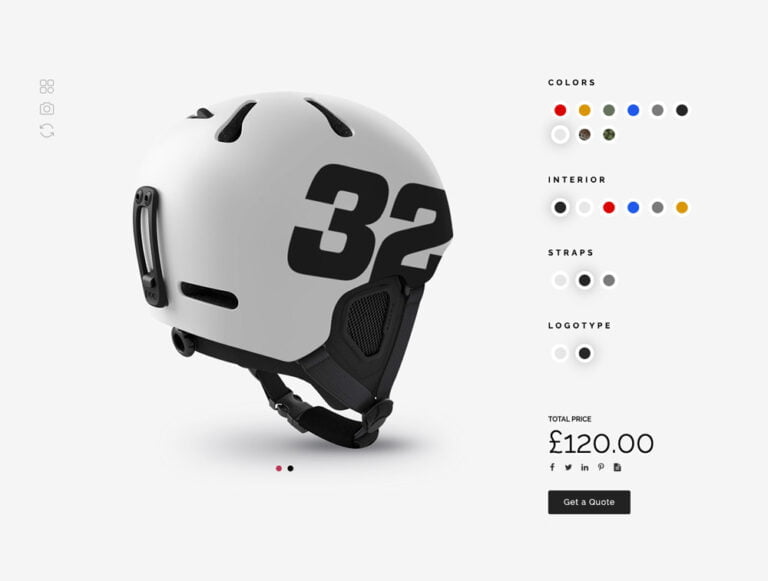
Style 1
In Style 1, all the configurations are open to the right. A full list is open, and you can choose between rounded icons or square icons. Parent titles are at the top of the options.
- Multiple views of the product.
- Inspirations
- Download Picture
- Reload Configurator
- Share your configuration in Social Networks
- Sub-child layers inside each parent.
- Add an icon to the parent
Check Demos:
Square icons
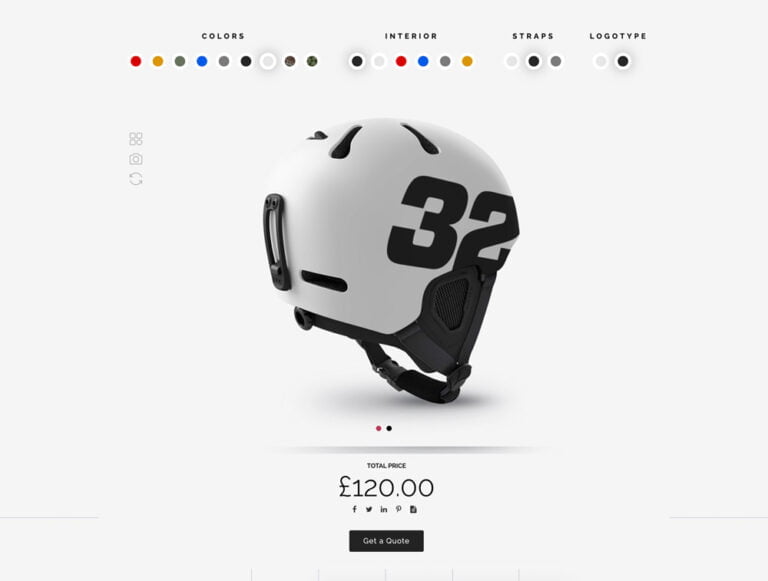
Style 2
In Style 2, all the configurations are open to the right. A full list is open, and you can choose between rounded icons or square icons. Parent titles are at the top of the options.
- Multiple views of the product.
- Inspirations
- Download Picture
- Reload Configurator
- Share your configuration in Social Networks
- Sub-child layers inside each parent.
- Add an icon to the parent
Check Demos:
Square icons
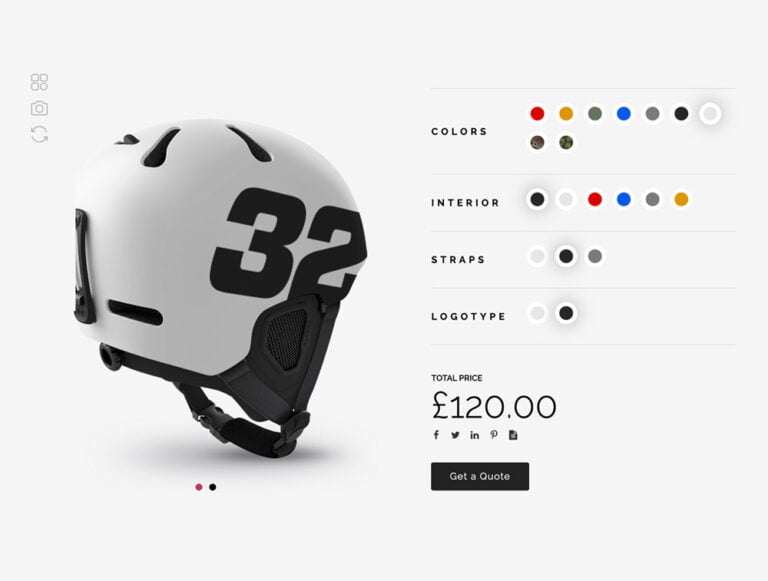
Style 3
In Style 3, all the configurations are open to the right. A full list is open, and you can choose between rounded icons or square icons. Parent titles are at the top of the options.
- Multiple views of the product.
- Inspirations
- Download Picture
- Reload Configurator
- Share your configuration in Social Networks
- Sub-child layers inside each parent.
- Add an icon to the parent
Check Demos:
Square icons
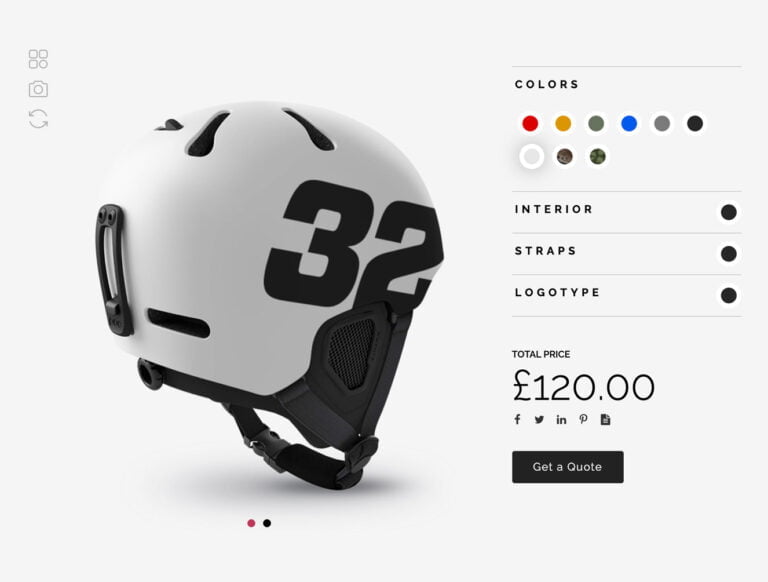
Accordion Style 1
In Accordion Style 1, all the configurations are open to the right. A full list is open, and you can choose between rounded icons or square icons. Parent titles are at the top of the options.
- Multiple views of the product.
- Inspirations
- Download Picture
- Reload Configurator
- Share your configuration in Social Networks
- Add an icon to the parent
- Sub-child layers inside each parent.
Check Demos:
Square icons
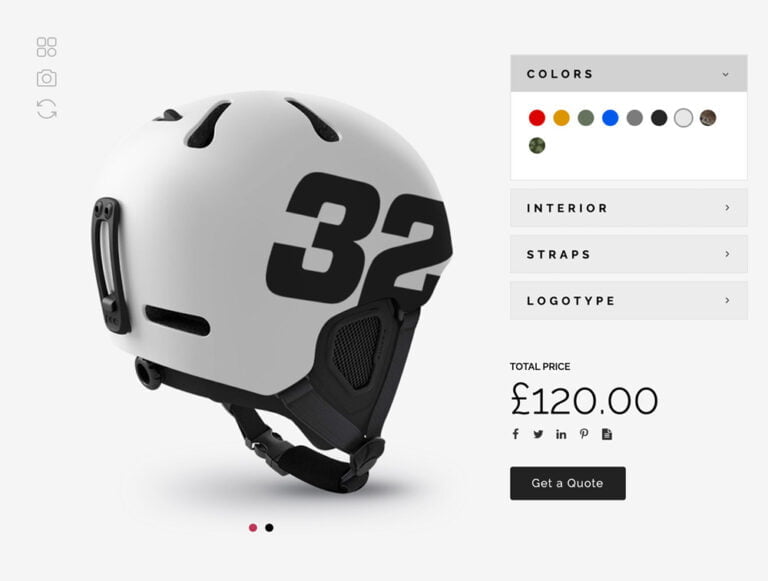
Accordion Style 2
In Accordion Style 2, all the configurations are open to the right. A full list is open, and you can choose between rounded icons or square icons. Parent titles are at the top of the options. It’s easy to add an icon to the parent as well.
- Multiple views of the product.
- Inspirations
- Download Picture
- Reload Configurator
- Share your configuration in Social Networks
- Add an icon to the parent
- Sub-child layers inside each parent.
Check Demos:
Square icons
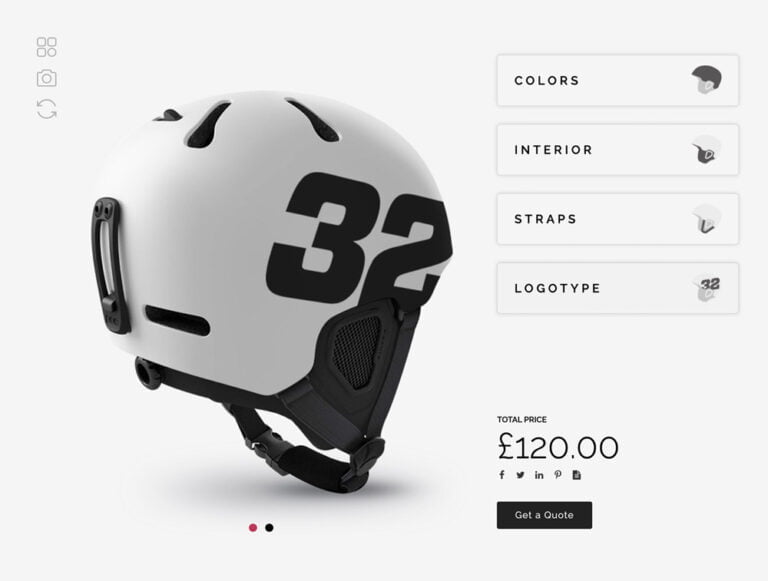
Pop Over
In Pop Over, all the configurations are open to the right. A full list is open, and you can choose between rounded icons or square icons. Parent titles are at the top of the options. It’s easy to add an icon to the parent as well.
- Multiple views of the product.
- Inspirations
- Download Picture
- Reload Configurator
- Share your configuration in Social Networks
- Add an icon to the parent
- Sub-child layers inside each parent.
Check Demos:
Square icons
Contact Form 7 & Woocommerce
Get a Quote with contact form 7
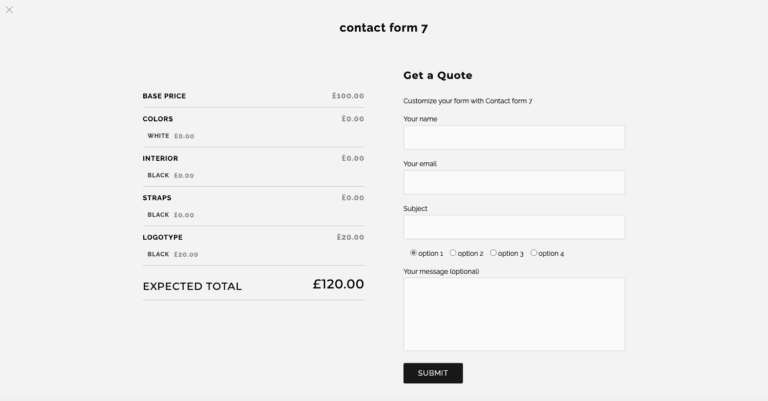
View Demo
Woocommerce
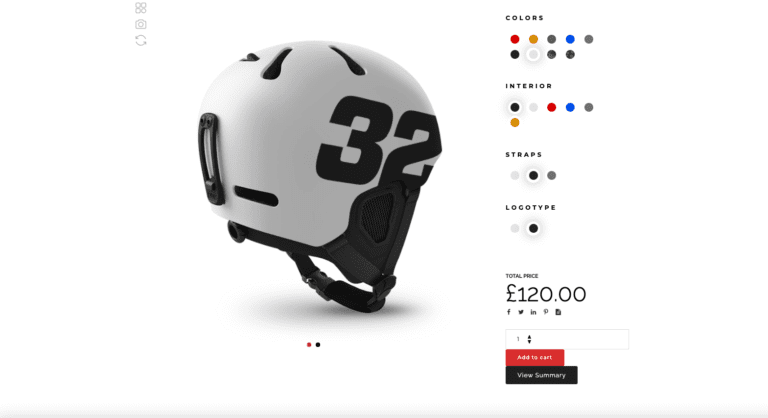
View Demo
Dots Navigation & Tabs Views
Dots Views
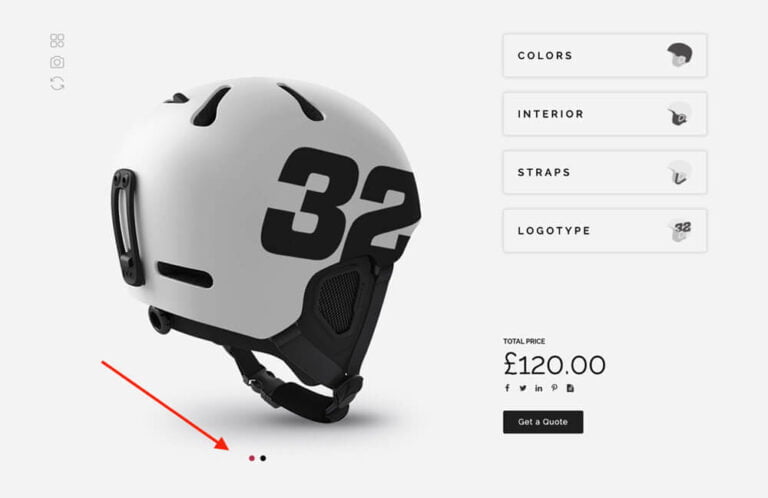
View Demo
Tabs Views
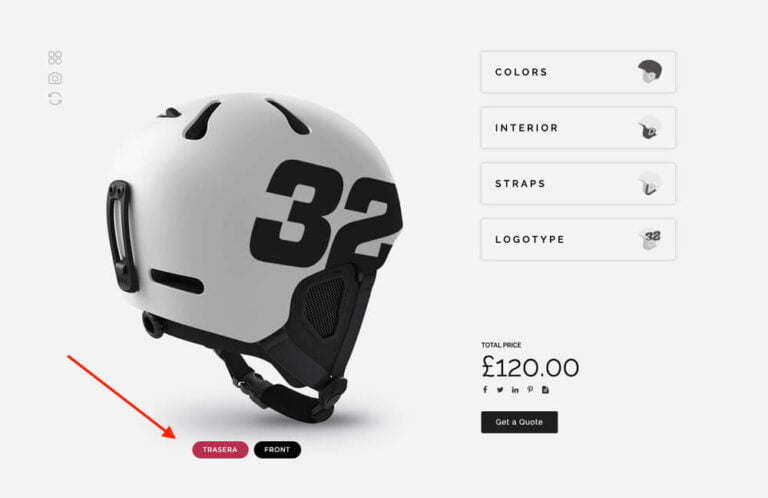
View Demo


Create unlimited Sub-levels on your configurable products
With WP Configurator Plugin now you can create unlimited sub-childs inside a parent. Your product can be as complex and deep as you need. WP Configurator Plugin will help you get the perfect product for your buyers.
Style 1
In Style 1, all the configurations are open to the right. A full list is open, and you can choose between rounded icons or square icons. Parent titles are at the top of the options.
- Multiple views of the product.
- Inspirations
- Download Picture
- Reload Configurator
- Share your configuration in Social Networks
- Sub-child layers inside each parent.
- Add an icon to the parent
Check Demos:
Square icons
Style 2
In Style 2, all the configurations are open to the right. A full list is open, and you can choose between rounded icons or square icons. Parent titles are at the top of the options.
- Multiple views of the product.
- Inspirations
- Download Picture
- Reload Configurator
- Share your configuration in Social Networks
- Sub-child layers inside each parent.
- Add an icon to the parent
Check Demos:
Square icons
Style 3
In Style 3, all the configurations are open to the right. A full list is open, and you can choose between rounded icons or square icons. Parent titles are at the top of the options.
- Multiple views of the product.
- Inspirations
- Download Picture
- Reload Configurator
- Share your configuration in Social Networks
- Sub-child layers inside each parent.
- Add an icon to the parent
Check Demos:
Square icons
Accordion Style 1
In Accordion Style 1, all the configurations are open to the right. A full list is open, and you can choose between rounded icons or square icons. Parent titles are at the top of the options.
- Multiple views of the product.
- Inspirations
- Download Picture
- Reload Configurator
- Share your configuration in Social Networks
- Add an icon to the parent
- Sub-child layers inside each parent.
Check Demos:
Square icons
Accordion Style 2
In Accordion Style 2, all the configurations are open to the right. A full list is open, and you can choose between rounded icons or square icons. Parent titles are at the top of the options. It’s easy to add an icon to the parent as well.
- Multiple views of the product.
- Inspirations
- Download Picture
- Reload Configurator
- Share your configuration in Social Networks
- Add an icon to the parent
- Sub-child layers inside each parent.
Check Demos:
Square icons
Popover
In Pop Over, all the configurations are open to the right. A full list is open, and you can choose between rounded icons or square icons. Parent titles are at the top of the options. It’s easy to add an icon to the parent as well.
- Multiple views of the product.
- Inspirations
- Download Picture
- Reload Configurator
- Share your configuration in Social Networks
- Add an icon to the parent
- Sub-child layers inside each parent.
Check Demos:
Square icons
Panorama
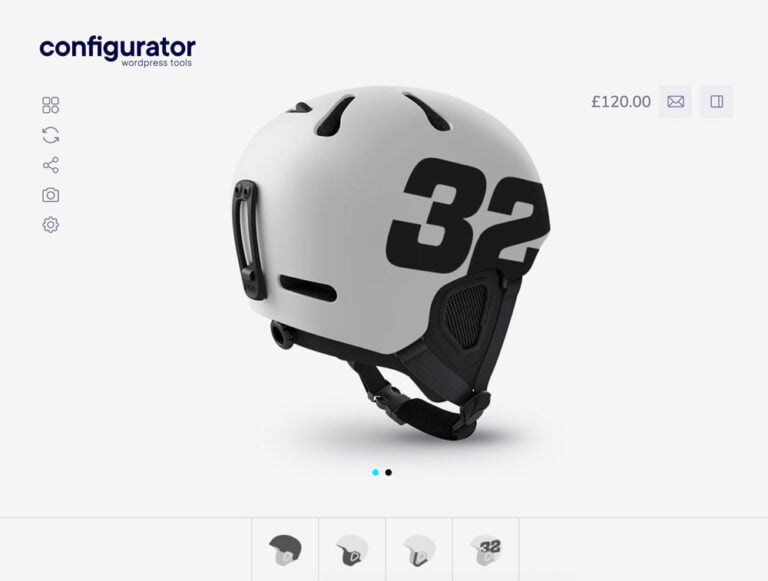
Panorama, is a premium skin. It si a full-width skin. Options are at the bottom. Options are listed in the right.
- Multiple views of the product.
- Inspirations
- Download Picture
- Reload Configurator
- Share your configuration in Social Networks
- Sub-child layers inside each parent.
Quote Form
Woocommerce
BUY PANORAMA SKIN
Bera
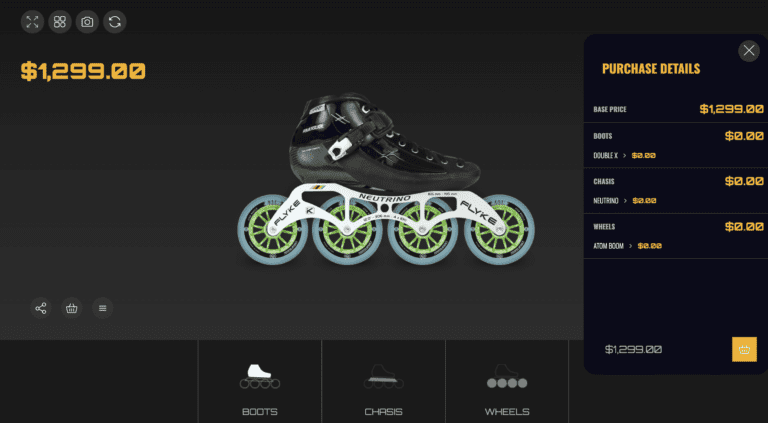
Dark Skin: A sleek and modern look that reduces eye strain and makes your configurations stand out.
• Fullscreen Skin: Immersive full-screen experience for your users, providing a more engaging and professional display.
- Multiple views of the product.
- Inspirations
- Download Picture
- Reload Configurator
- Share your configuration in Social Networks
- Sub-child layers inside each parent.