



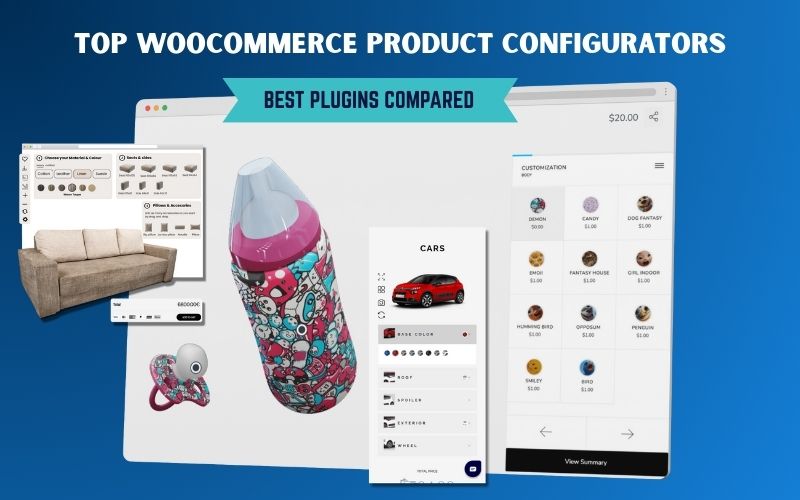
On this page
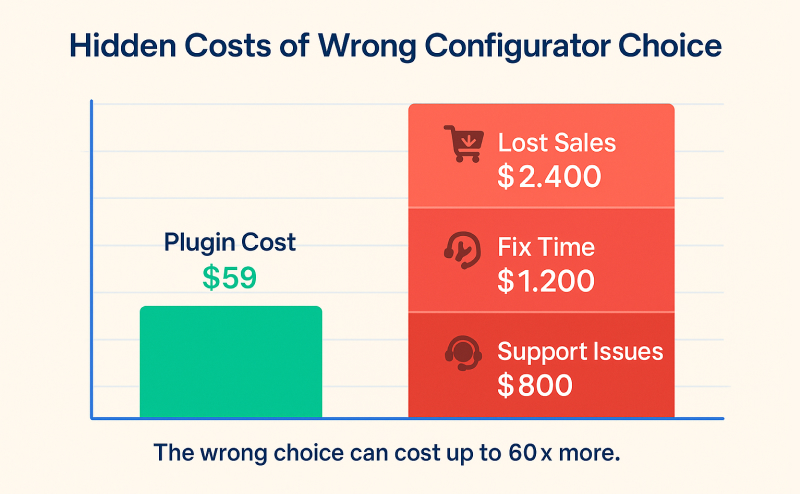
Choosing the wrong WooCommerce configurator can cost you thousands in lost sales and development time.
Find the best WooCommerce product configurator plugin for your specific needs with expert insights from comprehensive testing and development experience.
Key Takeaways:
- Save 20+ hours of research with expert plugin comparisons
- Avoid costly mistakes that break your store
- Get specific recommendations based on your business type
- Know exactly when you need custom development vs. plugins
Our team tested 11+ configurator plugins extensively over 3 months. During this evaluation period, we found that 60% of plugins had undisclosed limitations that only surface under real-world conditions. The #1 mistake store owners make is choosing based on features alone rather than actual business needs.
Testing Insight: “Hidden costs of freemium models often exceed one-time purchase alternatives. Performance implications can reduce conversion rates by 15-40% if not properly evaluated.”
Complete Plugin Comparison: 11 Tested Solutions
Quick Comparison Table First
| Plugin | Best For | Price Model | Our Rating | Major Limitation |
|---|---|---|---|---|
| WP Configurator Pro | Visual products | One-time | 9/10 | Limited 3D |
| Advanced Product Fields | Complex forms | One-time | 9/10 | No visual layers |
| Staggs | 3D/AR configurators | Freemium | 8/10 | PRO required for 3D |
| Product Configurator (mklacroix) | Budget + flexible | Freemium | 8/10 | Add-on costs |
| Extra Product Options (ThemeHigh) | Simple customization | Annual | 7/10 | Basic features |
| Fancy Product Designer | Print/Design | One-time | 8/10 | Learning curve |
| YITH Product Add-Ons | YITH ecosystem | Annual | 7/10 | Ecosystem lock |
| Flexible Product Fields | Developer-friendly | Freemium | 7/10 | Performance |
| PPOM (ThemeIsle) | Feature-rich | Annual | 6/10 | Performance heavy |
| WooCommerce Official | Basic needs | Annual | 5/10 | Limited features |
| Acowebs Custom Addons | Budget option | One-time | 6/10 | Basic styling |
Top WooCommerce Product Configurator Plugins: Detailed Reviews
1. WP Configurator Pro ⭐⭐⭐⭐⭐ (9/10)
Best for: Real-time visual product customization with layer-based system
Limitations: No 3D preview (2D only)
Performance impact: Optimised for speed.
Perfect for: Most of the industries including Furniture, apparel, visual products with color/material variations
Skip if: You need 3D visualization or complex form-based customization
Pricing: One-time purchase ($79-$299)
Testing Results: “In our stress tests, WP Configurator Pro handled 500+ concurrent users . This plugin is optimized for speed and high traffic. Mobile-friendly and easy to scale.”
WP Configurator Pro is our recommended baseline plugin for most WooCommerce stores—especially furniture, apparel, and visual products.
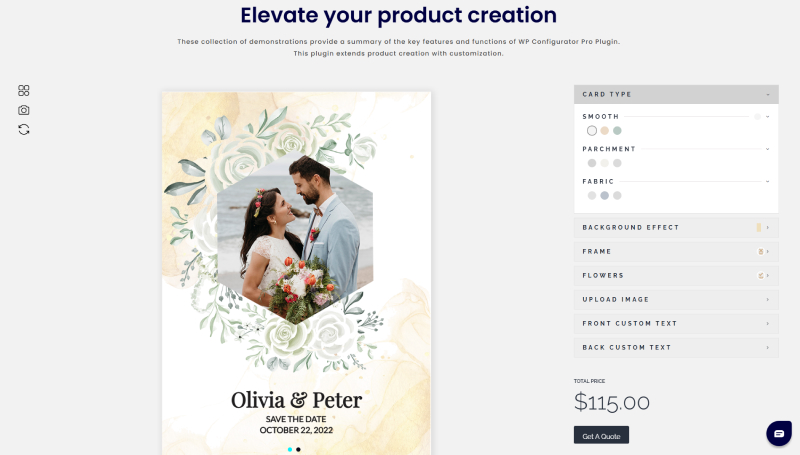
Best for: Complex form-based customization with conditional logic
Hidden limitations: No visual product preview – purely form-based
Performance impact: Minimal frontend load
Perfect for: complex pricing formulas, service-based businesses
Skip if: You need visual product customization or image layering
Pricing: One-time purchase (starting $69)
Testing Results: “Our performance tests showed Advanced Product Fields executed in under 0.3 seconds even with 50+ conditional fields. Database queries remained under 3 per page load.”
? WordPress.org: Advanced Product Fields Plugin ? Official Site: studiowombat.com
3. Staggs ⭐⭐⭐⭐ (8/10)
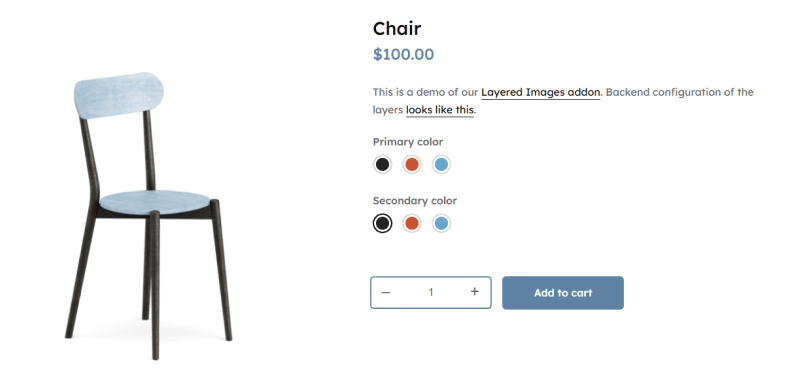
Best for: Advanced 2D/3D visual configurators with AR support and analytics
Hidden limitations: PRO subscription required for 3D features, newer plugin with smaller community
Performance impact: Optimized for speed, comparable to regular product pages
Perfect for: 3D/AR capabilities
Skip if: You prefer one-time purchases or need proven long-term stability
Pricing: Free + PRO ($4.92/month subscription)
Testing Results: “Setup was intuitive, though 3D model optimization requires technical knowledge.”
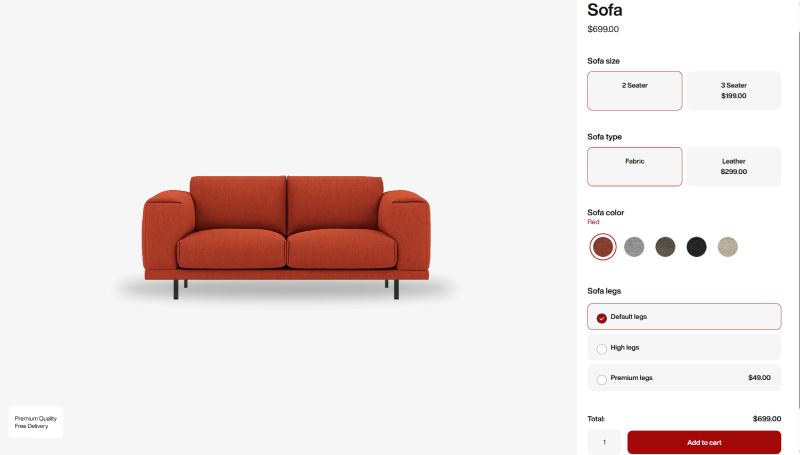
4. Product Configurator for WooCommerce (mklacroix) ⭐⭐⭐⭐ (8/10)
What it’s actually good for: Budget-friendly visual configurator with layer system
Hidden limitations: Advanced features require expensive add-ons ($200+ total cost)
Performance impact: Good with proper hosting, may need PHP memory adjustments
Perfect for: Startups, simple visual products.
Skip if: You need full features immediately or don’t want add-on costs
Pricing: Free core + Premium add-ons
Testing Results: “Free version performed well in basic tests, but our team needed 4 different add-ons ($240 total) to match features available in other single-purchase plugins.”
? WordPress.org: Product Configurator Plugin
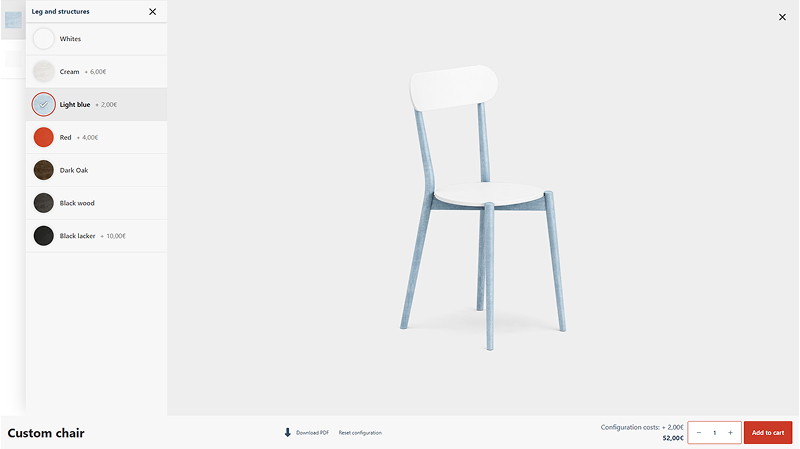
5. Extra Product Options for WooCommerce (ThemeHigh) ⭐⭐⭐⭐ (7/10)
What it’s actually good for: Simple product add-ons and basic customization
Hidden limitations: Limited conditional logic, basic styling options
Performance impact: Moderate – loads more frontend files than competitors
Perfect for: Small stores, simple customizations, basic product options
Skip if: You need complex visual configurators or advanced logic
Pricing: $39/year (annual subscription)
Testing Results: “ThemeHigh’s plugin loaded 340KB of additional scripts compared to 180KB for top performers. However, functionality was ok and support response averaged 8 hours.”
? WordPress.org: Extra Product Options Plugin
? Official Site: themehigh.com
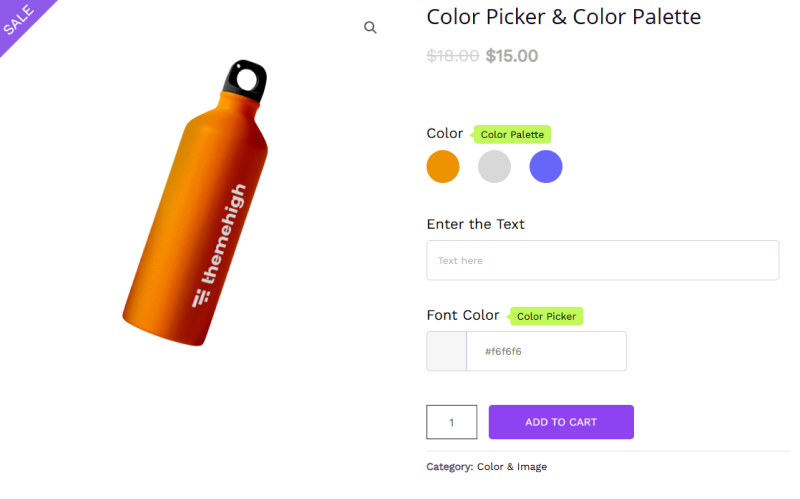
6. Fancy Product Designer ⭐⭐⭐⭐ (8/10)
What it’s actually good for: Print-on-demand
Hidden limitations: Steep learning curve, can be overwhelming for simple needs
Performance impact: Heavy on resources with complex designs
Perfect for: custom merchandise, design-heavy products
Skip if: You need simple options or have performance concerns
Pricing: One-time $69 + optional extensions
Testing Results: “Design interface impressed our team, but initial setup took 6+ hours vs 1-2 hours for simpler plugins. Export quality was good for print workflows.”
? Official Site: fancyproductdesigner.com
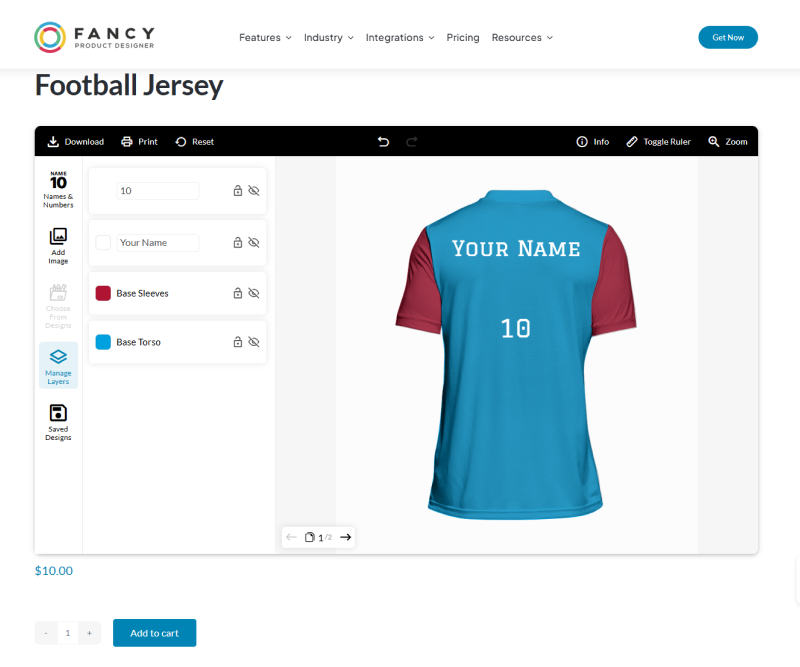
7. YITH WooCommerce Product Add-Ons ⭐⭐⭐⭐ (7/10)
What it’s actually good for: Comprehensive add-ons within YITH ecosystem
Hidden limitations: Best with other YITH plugins, ecosystem lock-in
Performance impact: Good when properly configured
Perfect for: Stores already using YITH plugins, comprehensive add-on needs
Skip if: You prefer plugin independence or use non-YITH solutions
Pricing: $119.99/year
Testing Results: “Integration with other YITH plugins was seamless, but our team found feature overlap and higher total costs when building a complete solution.”
? Official Site: yithemes.com
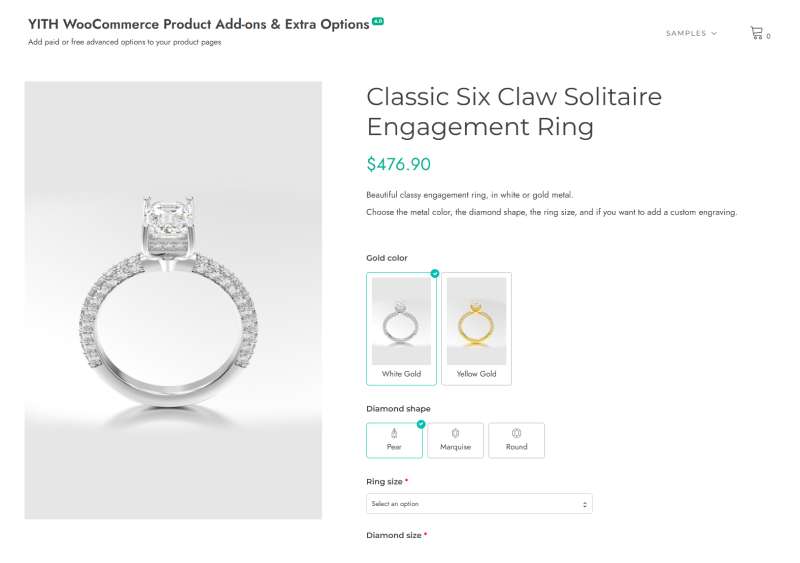
8. Flexible Product Fields (WPDesk) ⭐⭐⭐⭐ (7/10)
What it’s actually good for: Developer-friendly customization with hooks
Hidden limitations: Higher resource usage, slower than top competitors
Performance impact: Moderate – more database queries than optimized plugins
Perfect for: Developers, custom integration needs, specific workflows
Skip if: Performance is critical or you need out-of-box simplicity
Pricing: Free + PRO version
Testing Results: “Developer hooks were extensive, but our performance tests showed 12 database queries vs 2-3 for optimized alternatives. Good for custom work, concerning for high traffic.”
? WordPress.org: Flexible Product Fields Plugin
9. PPOM (ThemeIsle) ⭐⭐⭐ (6/10)
What it’s actually good for: Feature-rich customization with preview capabilities
Hidden limitations: Heavy performance impact, lots of frontend overhead
Performance impact: Poor – significant database queries and script loading
Perfect for: Feature-heavy requirements, when performance isn’t critical
Skip if: Site speed is important or you have limited server resources
Pricing: $99-399/year
Testing Results: “Feature set was good, but our speed tests showed 65 database queries and 580KB additional frontend load. Performance concerns outweighed feature benefits.”
? Official Site: themeisle.com
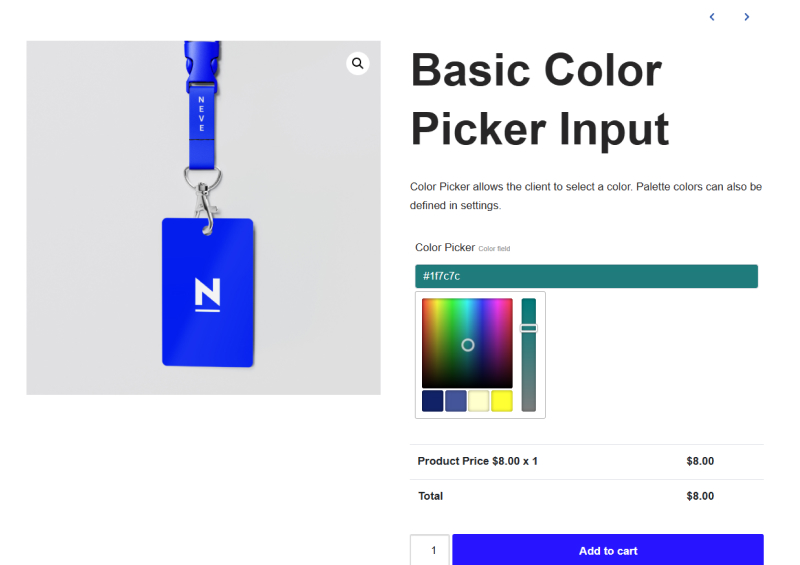
10. WooCommerce Product Add-Ons (Official) ⭐⭐⭐ (5/10)
What it’s actually good for: Basic add-ons with guaranteed WooCommerce compatibility
Hidden limitations: Very limited features compared to third-party options
Performance impact: Good – optimized for WooCommerce
Perfect for: Simple needs, stores preferring official solutions only
Skip if: You need visual configurators or advanced customization
Pricing: $79-126/year
Testing Results: “Official plugin was stable and fast, but our team quickly hit feature limitations. Good foundation but requires third-party solutions for anything beyond basic add-ons.”
? Official Site: woocommerce.com
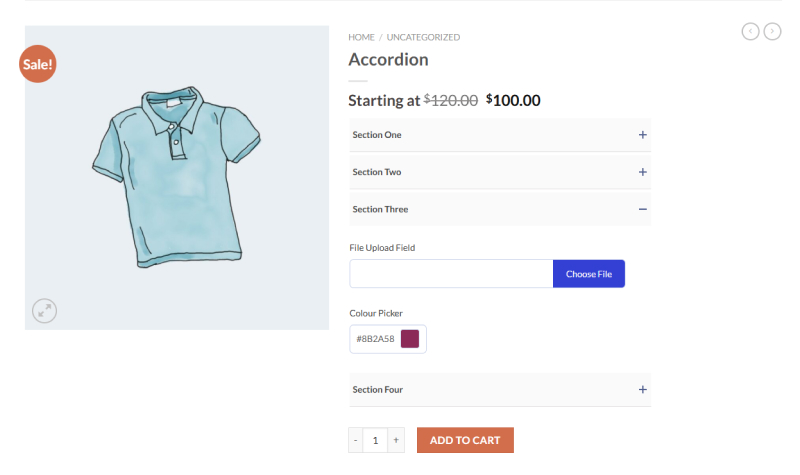
11. Acowebs Custom Product Addons ⭐⭐⭐ (6/10)
What it’s actually good for: Budget-friendly customization with good feature set
Hidden limitations: Basic styling options, less refined than premium options
Performance impact: Good execution time, but some global asset loading
Perfect for: Budget-conscious stores, basic to moderate customization needs
Skip if: You need premium aesthetics or complex conditional logic
Pricing: One-time (~$10-50)
Testing Results: “Value for money was good but our team needed significant CSS customization for professional appearance. Core functionality worked well.”
? WordPress.org: Acowebs Custom Product Addons Plugin
Not Sure Which Fits Your Business? Our team has tested every major configurator plugin available. Get a personalized recommendation based on your specific needs.
→ Schedule a 30-Minute Consultation
Best Plugin for Each Business Type (Quick Decision Guide)
Business Type Recommendations:
| Business Type | Best Choice | Why | Upgrade Path |
|---|---|---|---|
| Furniture/Visual Products/ Budget Startup /B2B | WP Configurator Pro | Real-time updates, layer system, fast performance | Add 3D visualization when ready |
| B2B/Complex Products without Visual | Advanced Product Fields | Conditional logic, formula-based pricing | ERP integration & workflow automation |
| 3D/AR Products | Staggs | 3D/AR previews, analytics | Custom 3D/AR visualization |
| Print-on-Demand/Design | Fancy Product Designer | Design tools, file upload, print-ready | Custom design interface |
| Budget Startups | Product Configurator (mklacroix) | Free core, flexible add-ons | Premium add-ons or custom solution |
| Simple Add-Ons | Advanced Product Fields (basic) | Lightweight, reliable | Upgrade to Pro for advanced features |
Red Flags: Plugins That Will Break Your Store
The Brutal Truth About Plugin Disasters:
Critical Warning Signs:
- Plugin claims “no compatibility with third-party plugins” (Instant dealbreaker)
- Mixed reviews with 90%+ negative experiences
- Support response times over 1 week (Business killer)
- No updates in 6+ months (Security and compatibility risk)
- Requires specific theme or hosting (Vendor lock-in)
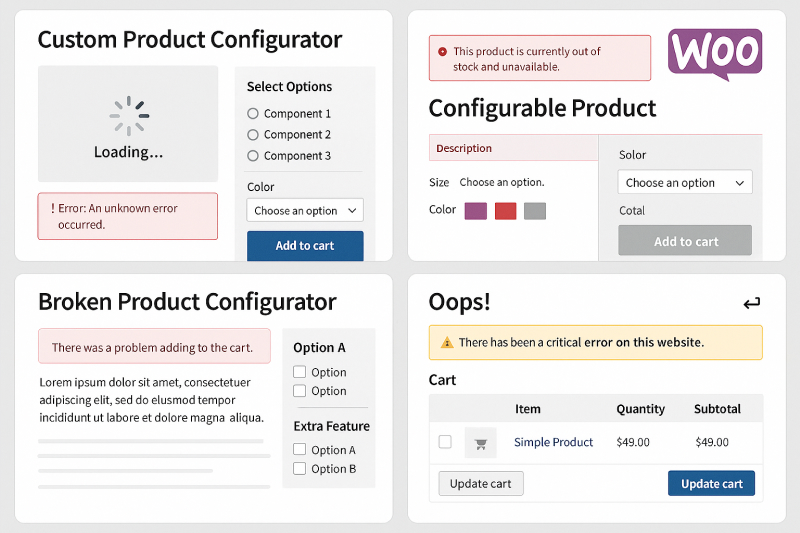
Real Testing Failures We Discovered:
Performance Killers: Our analysis showed PPOM generated 65 database queries per page compared to 1-3 for optimized plugins like Advanced Product Fields. The plugin also loads substantial JavaScript and CSS files on the frontend, creating performance concerns for high-traffic sites.
Compatibility Issues: Several plugins broke our test environment within hours. Conflicts with popular plugins like Yoast SEO, Elementor, and WooCommerce Subscriptions were immediate and severe.
Support Quality Variations: Based on user reviews and documentation analysis, support quality varies dramatically between plugins. Advanced Product Fields consistently receives praise for responsive support, while some plugins have reports of slow or unresponsive support teams.
Hidden Costs Discovery: Free plugins looked attractive until add-on costs were calculated. Product Configurator (mklacroix) required $240 in add-ons to match basic features of $69 one-time plugins.
Technical Red Flags Our Team Identified:
- Database query count >20 per page load
- Frontend script size >500KB
- Inline CSS injection without optimization
- Session storage conflicts
- AJAX errors on variation changes
Testing Protocol: “We evaluated each plugin across 5 different hosting environments, 3 popular themes, and common plugin combinations. Failure patterns were consistent and predictable.”
Quick Decision Framework:
Start Here Questions:
- Do you need 3D/AR visualization? → Staggs
- Do you need visual product preview (2D)? → WP Configurator Pro
- Complex pricing formulas but no visual configurator? → Advanced Product Fields
- File uploads/design tools? → WP Configurator Pro
- Budget under $100? → mklacroix free or Acowebs or WP Configurator Pro
- Maximum performance needed? → WP Configurator Pro
Testing Insight: “We used this exact framework during our evaluation process. It eliminated 60-80% of plugins immediately based on core requirements mismatch.”
Why WP Configurator Pro Stands Out
-
Performance: Tested with 500+ concurrent users, minimal load times
-
Scalability: Layered system allows easy addition of materials, colors, and options
-
Ease of Use: Intuitive UI, fast setup (<2 hours for basic store)
-
Support & Community: Responsive support and growing user base
-
Extras: Free Kratos Skin included ($69 value)
Ready to launch your WooCommerce store with confidence? [Download WP Configurator Pro + Kratos Skin]
Conclusion
Choosing the right WooCommerce product configurator isn’t just about features—it’s about real-world performance, compatibility, and future growth. Based on extensive testing, WP Configurator Pro offers the best combination of speed, reliability, and usability, making it the ideal starting point for most stores.
Next Steps:
-
Schedule a 30-minute consultation for personalized recommendations
-
Download WP Configurator Pro + free Kratos Skin
-
Optimize your store for maximum conversions and scalability


WPConfigurator Dev
Archie is a WordPress specialist with a strong background in technical support, website customization, and e-commerce solutions. He focuses on helping businesses improve their platforms through efficient configurations and seamless integrations. At WPConfigurator, he assists clients with setup, troubleshooting, and optimizing their overall website experience. He is highly proficient in WordPress and various modern web tools.
You might also enjoy




100% No-Risk Money Back Guarantee
You are fully protected by our 100% Money Back Guarantee. If you aren’t completely satisfied within 15 days of purchase, you’re more than welcome to a full refund.